How to add a terms and conditions checkbox
Overview
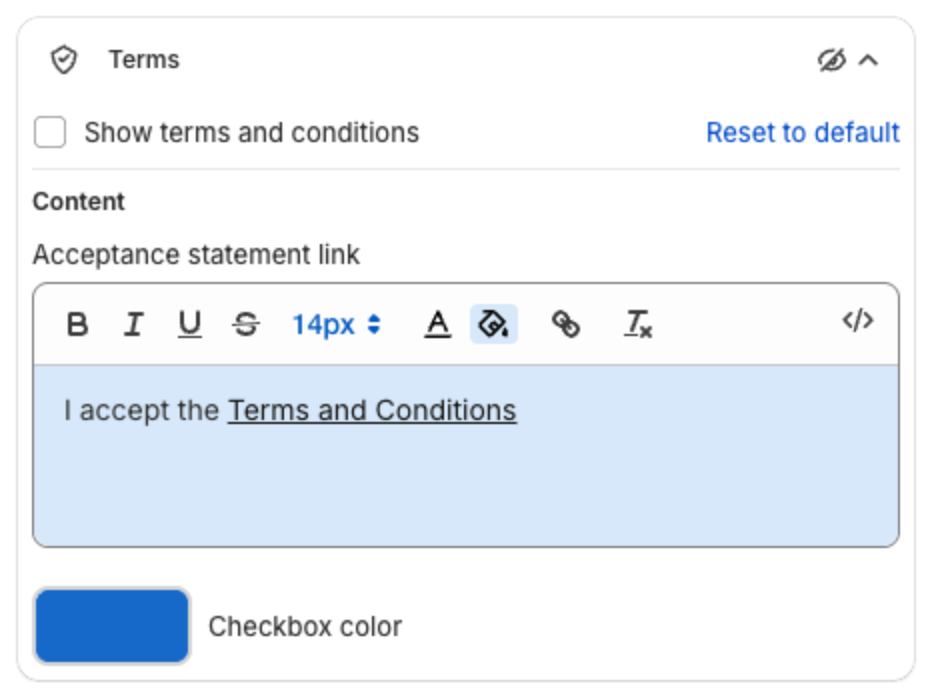
Terms adds a checkbox with a link to your terms, for example "I accept the Terms and Conditions", in the cart drawer footer.
Steps
- Click Cart Drawer in the app menu.
- Click Footer, then Terms.
- Tick Show terms and conditions.
- Under Content, edit the Acceptance statement link: the text and the link to your terms page. Select the words, for example "Terms and Conditions", and add the link with the editor toolbar.
- Set the Checkbox color.
- Click Save in the bar at the top of the page.