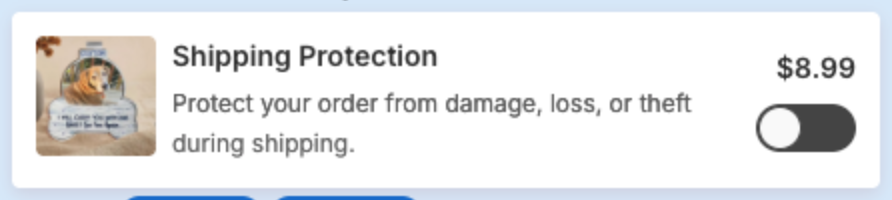
How to use Shipping protection
Overview
Shipping protection adds an optional item to the cart drawer, with a toggle, that shoppers can buy to protect their order. The price depends on the cart value. The app adds it to the cart as a product.
XBoost only provides the product that shows shipping protection. It does not provide any shipping protection service itself.
Steps
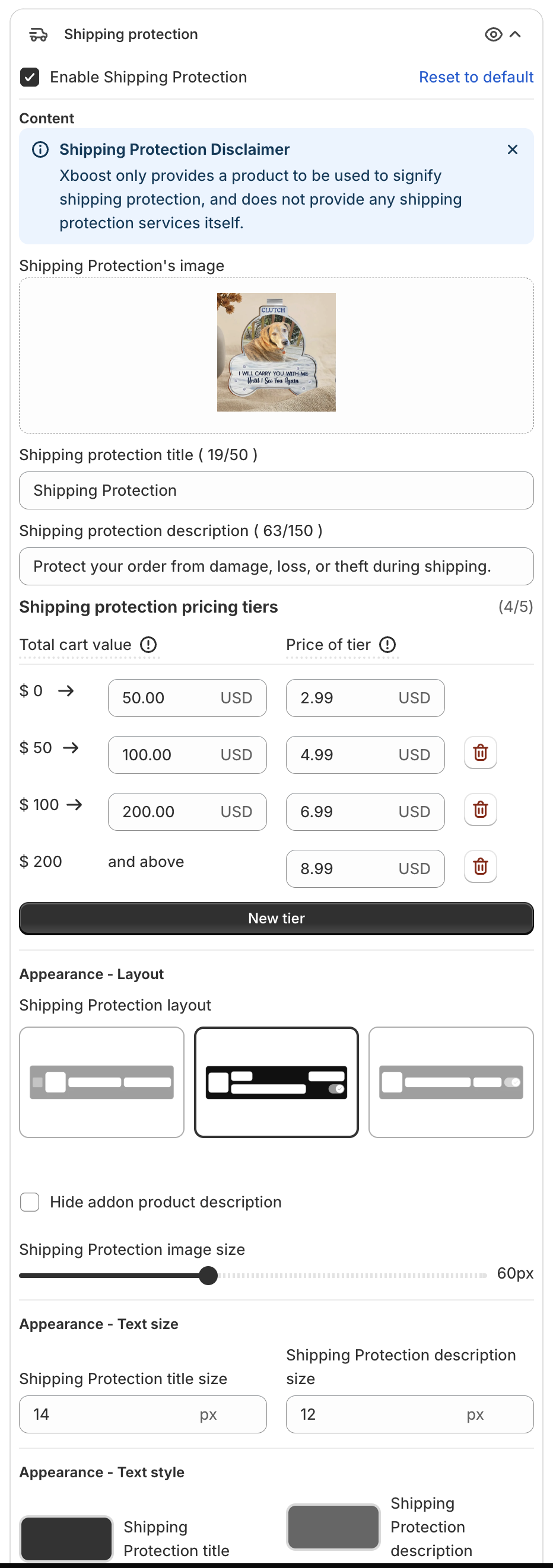
1. Turn on shipping protection
- Click Cart Drawer in the app menu.
- Click Footer, then Shipping protection.
- Tick Enable Shipping Protection.
2. Set the content
- Shipping Protection's image: click Upload image to change it.
- Shipping protection title (up to 50 characters) and Shipping protection description (up to 150 characters).
3. Set the prices
Under Shipping protection pricing tiers, each row sets the price for a range of Total cart value. For example: $0 to $50 costs $2.99, $50 to $100 costs $4.99, $100 to $200 costs $6.99, and $200 and above costs $8.99. Prices are in your store currency.
- Click New tier to add a range. You can have up to 5 tiers.
- Click the trash icon to remove one.
4. Change the look
- Appearance - Layout: pick a Shipping Protection layout, Hide addon product description, and set the Shipping Protection image size.
- Appearance - Text size and Appearance - Text style: title and description size and color, and the Toggle color.
5. Save
Click Save in the bar at the top of the page. In the cart, shoppers turn shipping protection on with the toggle: