How to customize the empty cart
Overview
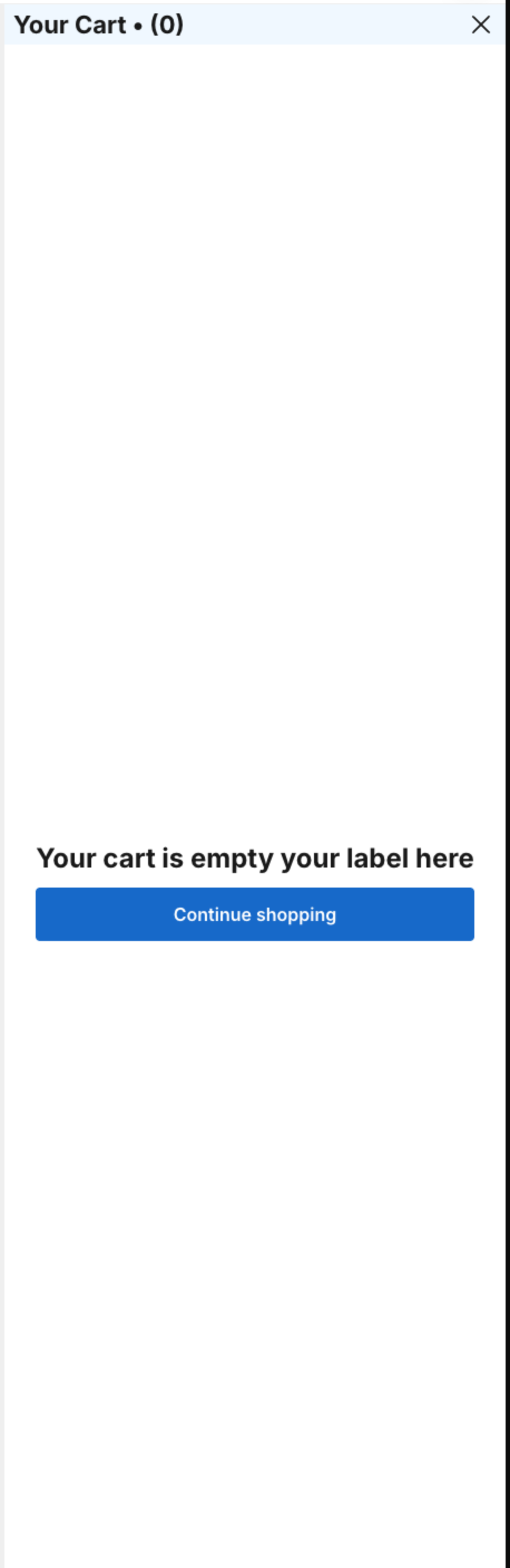
When the cart is empty, the drawer shows a message, a Continue shopping button and, if you want, the rewards bar and product suggestions.
Steps
1. Switch the preview to the empty cart
- Click Cart Drawer in the app menu.
- Under Preview Settings, set Cart Mode to Empty cart. The Empty cart section can be edited only in this mode.
- Click Empty cart.
2. Show the rewards bar (optional)
Click Reward bar and tick Show rewards on empty cart. The bar shows only if you have set up rewards in Items in cart mode under Body > Rewards. See How to use Rewards function in your cart.

3. Change the message and button
Click Empty Cart Body:
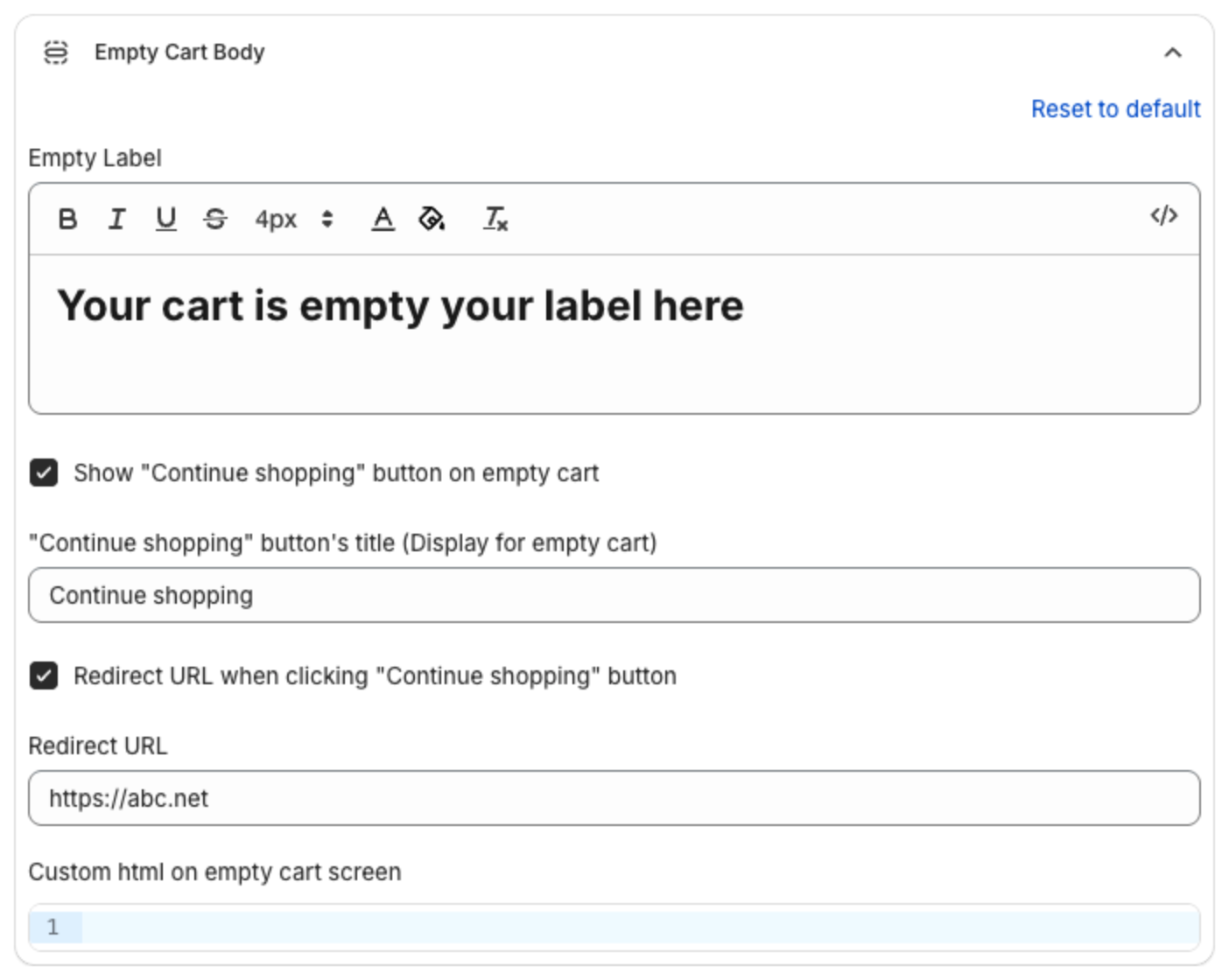
- Empty Label: the message, for example "Your cart is empty".
- Show "Continue shopping" button on empty cart and its title.
- Redirect URL when clicking "Continue shopping" button: tick it and type a Redirect URL to send shoppers to a page, for example a collection.
- Custom html on empty cart screen: your own HTML under the message.
4. Suggest products (optional)
Click Upsell in empty cart and tick Enable Empty Cart Upsell:
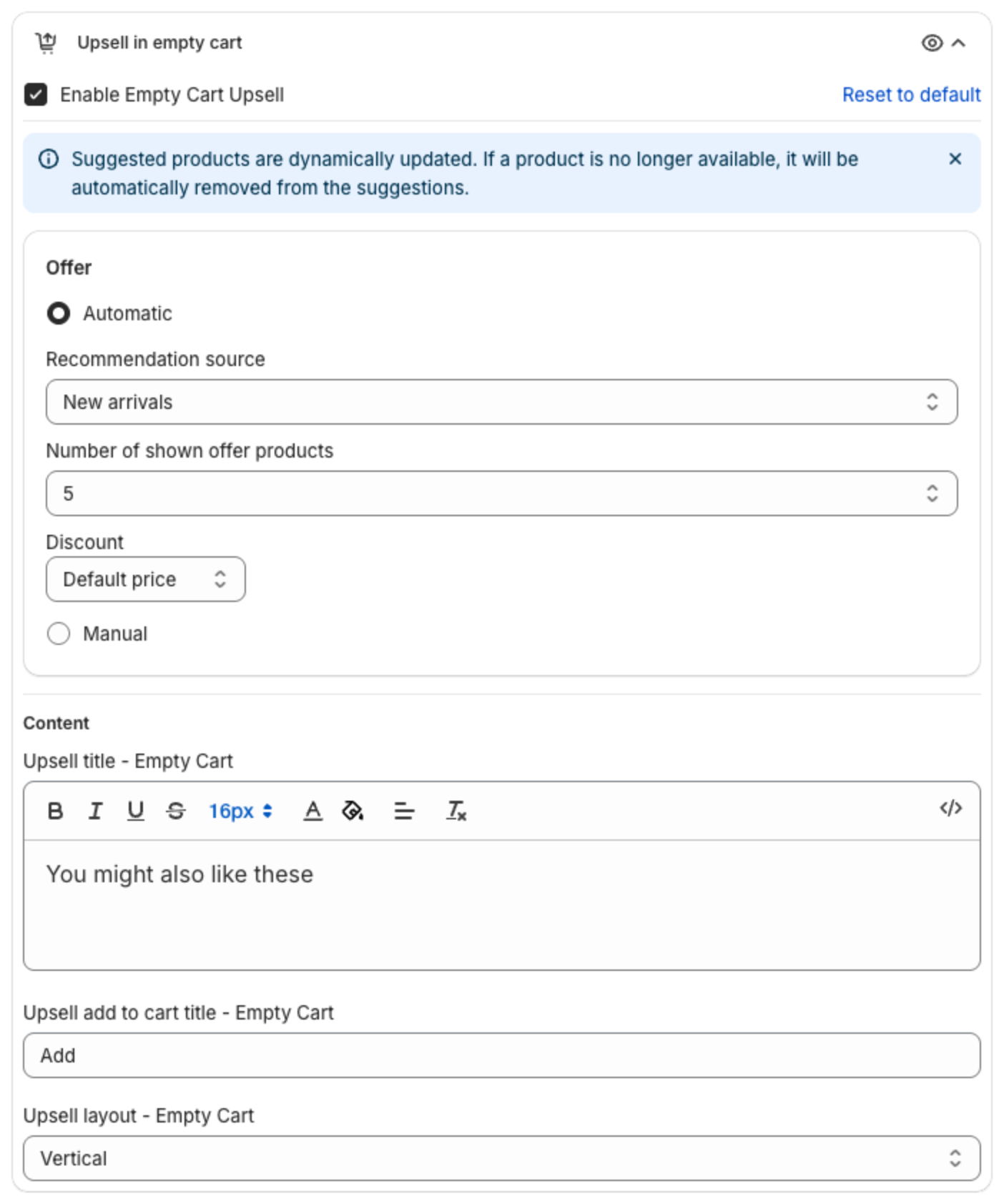
- Offer:
- Automatic: pick a Recommendation source (New arrivals, Bestsellers or Recent views) and the Number of shown offer products (1 to 10).
- Manual: pick the products yourself.
- Discount: Default price, Fixed price ($), Bundle discount (%) or Bundle discount ($), with a Discount label. Use
{{amount}}for the discount amount and{{percentage}}for the percentage. - Content: Upsell title - Empty Cart, Upsell add to cart title - Empty Cart and Upsell layout - Empty Cart (Vertical or Horizontal).
5. Save
Click Save in the bar at the top of the page. Switch Cart Mode back to Items in cart to edit the other sections.