
How to use Discount code function
Overview
The discount code field lets shoppers enter a code in the cart drawer instead of at checkout. They see the new price right away.
Steps
1. Turn on the discount code field
- Click Cart Drawer in the app menu.
- Click Footer, then Discount code.
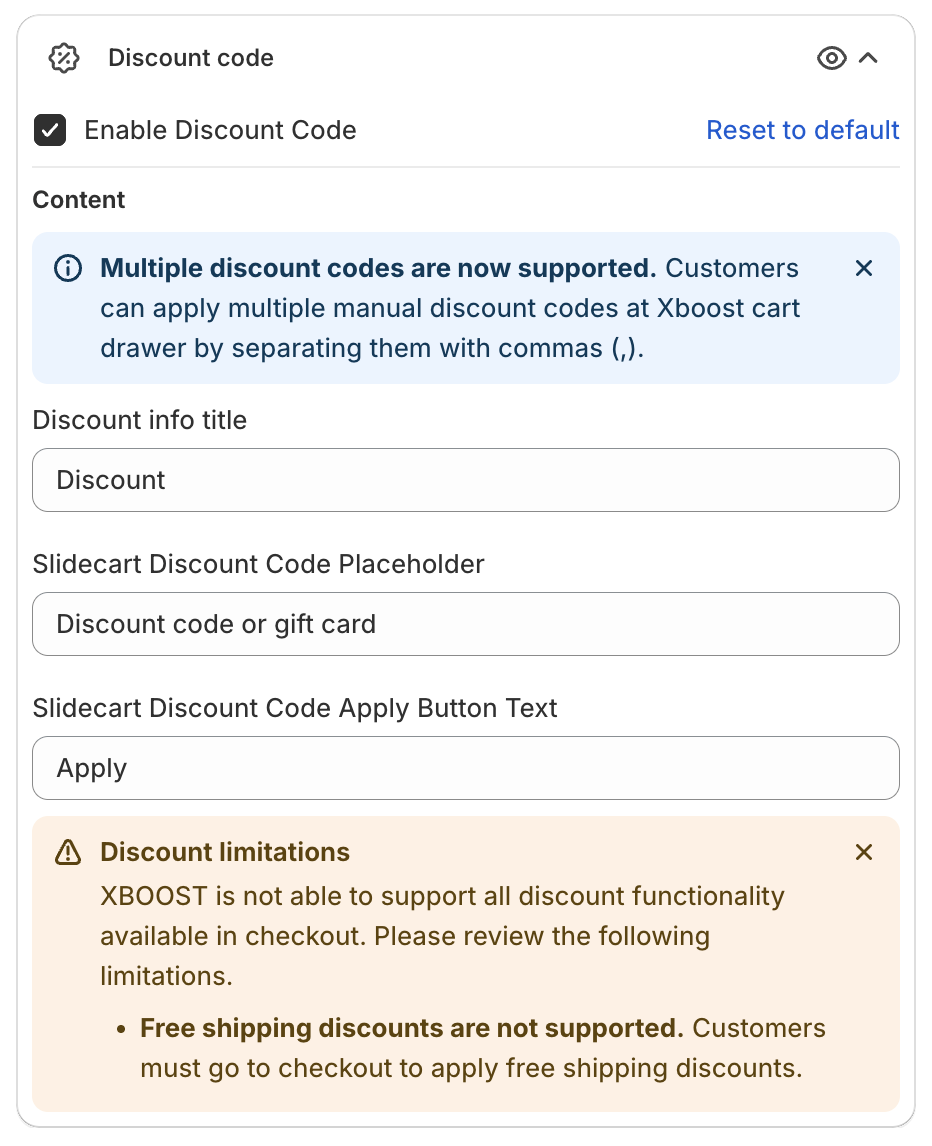
- Tick Enable Discount Code.
2. Change the texts (optional)
- Discount info title.
- Slidecart Discount Code Placeholder: the hint inside the empty field.
- Slidecart Discount Code Apply Button Text: the label of the apply button.
3. Save
Click Save in the bar at the top of the page. Check the field in the preview on the right:

Multiple codes
Shoppers can apply several manual discount codes in the cart drawer. They type the codes separated by commas (,).
Limitations
The cart drawer does not support every discount type that checkout supports:
- Free shipping discounts are not supported in the drawer. Shoppers apply them at checkout.