
How to add an order note field to the cart
Overview
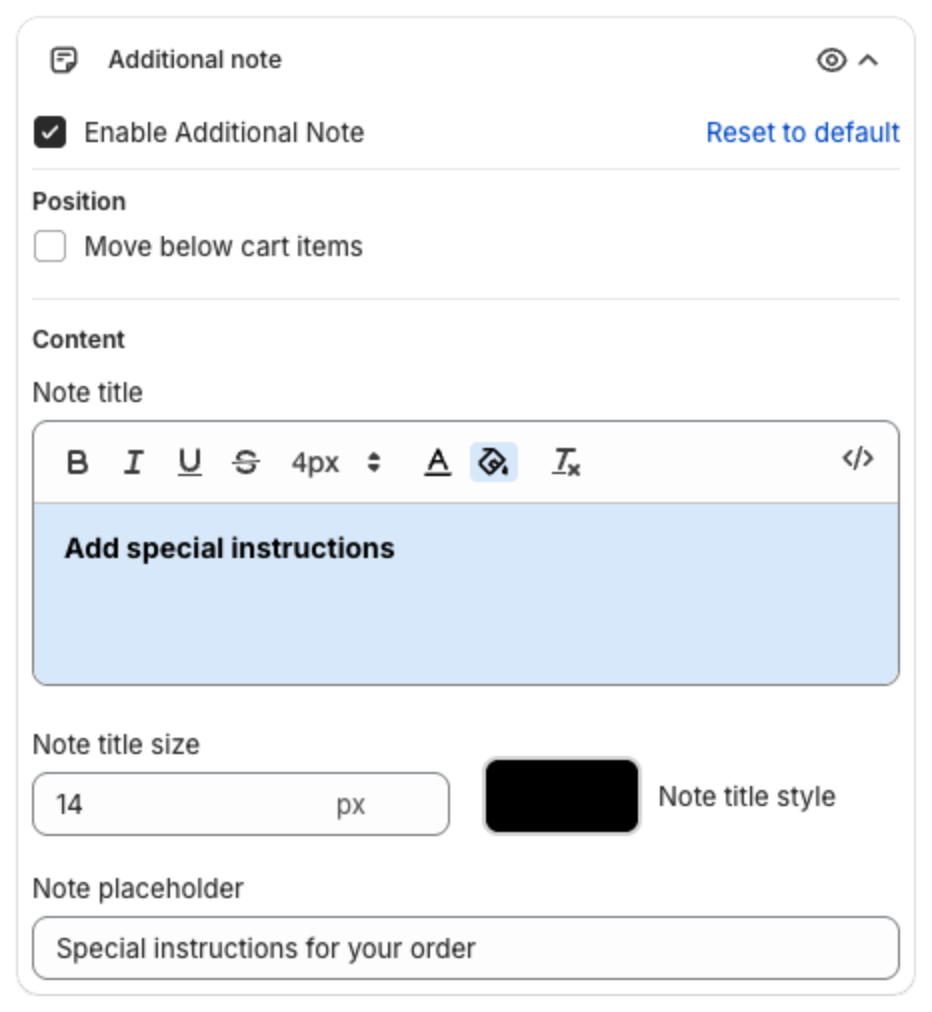
Additional note adds a field where shoppers can write instructions for the order, for example gift messages or delivery notes. The text is saved as the Shopify order note, so you see it on the order in your Shopify admin.
Steps
- Click Cart Drawer in the app menu.
- Click Footer, then Additional note.
- Tick Enable Additional Note.
- Optional: under Position, tick Move below cart items to show the field right after the cart items instead of in the footer.
- Under Content, set the Note title (default "Add special instructions"), its size and style, and the Note placeholder (the hint inside the empty field).
- Click Save in the bar at the top of the page.
In the cart, shoppers click the title to open the field:
