
How to use Express Payment
Overview
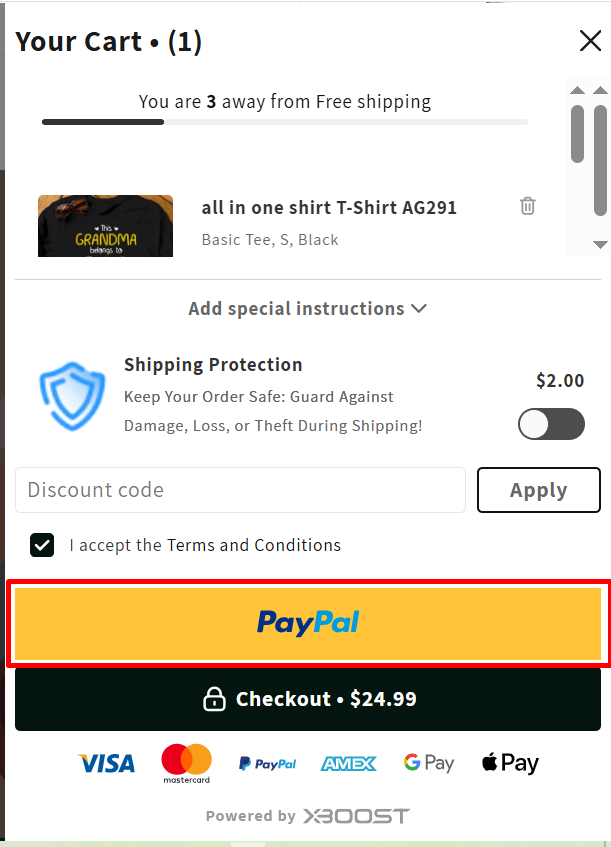
Express Payment refers to a feature that allows customers to complete their purchases quickly by bypassing the traditional checkout process. With Express Payment, customers can use their saved payment information from services like Apple Pay, Google Pay, PayPal, and other integrated payment providers to pay with just a few clicks, making the transaction faster and more convenient.
This feature is designed to improve the user experience by reducing the steps needed to complete a purchase, which can help increase conversion rates and reduce cart abandonment.
User Guide
This guide base on Accelerated checkouts and dynamic checkout buttons of shopify. Please refer to Shopify’s information to ensure that the XBoost function works smoothly.
Before you begin, we suggest reviewing Shopify’s official documentation on editing your theme code. This will assist you in navigating the code editor with ease. Additionally, the documentation will outline potential risks associated with modifying theme code.
1. Access your theme code
- Go to the Shopify admin portal and log in.
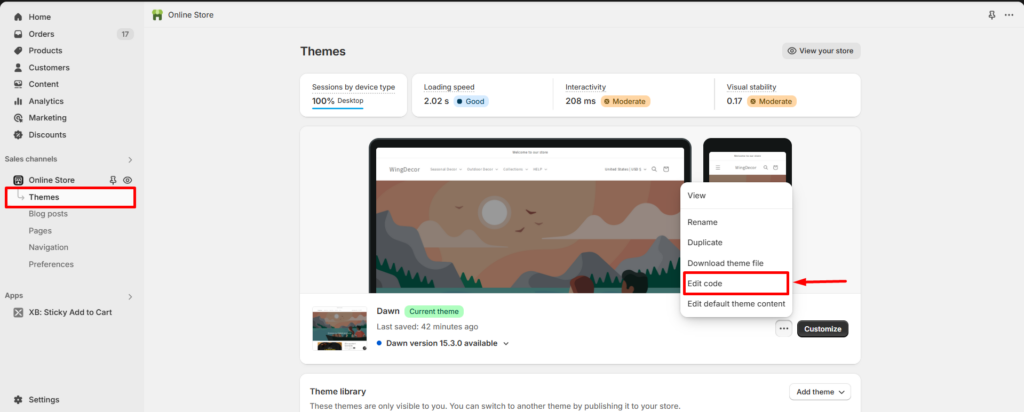
- From the Shopify admin, go to “Online Store” > “Themes.”
- Choose the theme you want to add accelerated checkout buttons to.
- Select “Edit code” from the dropdown menu.
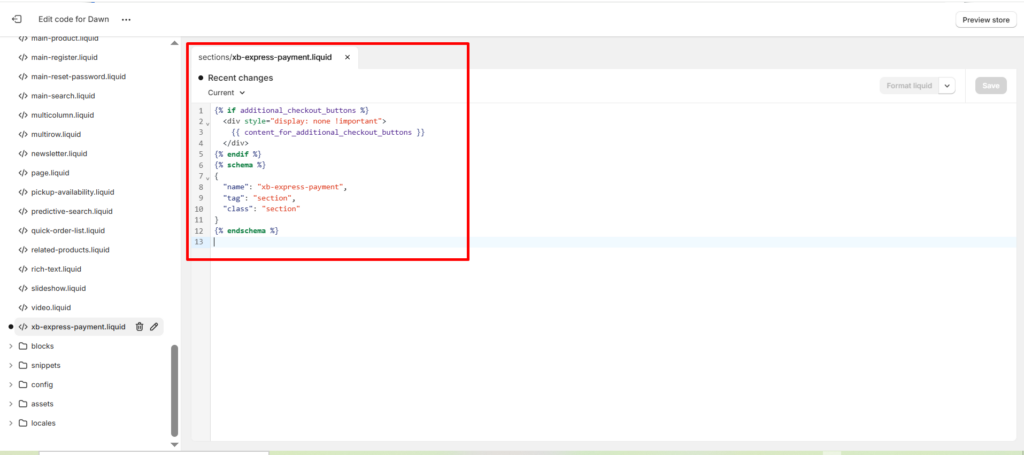
2. Add custom liquid file.
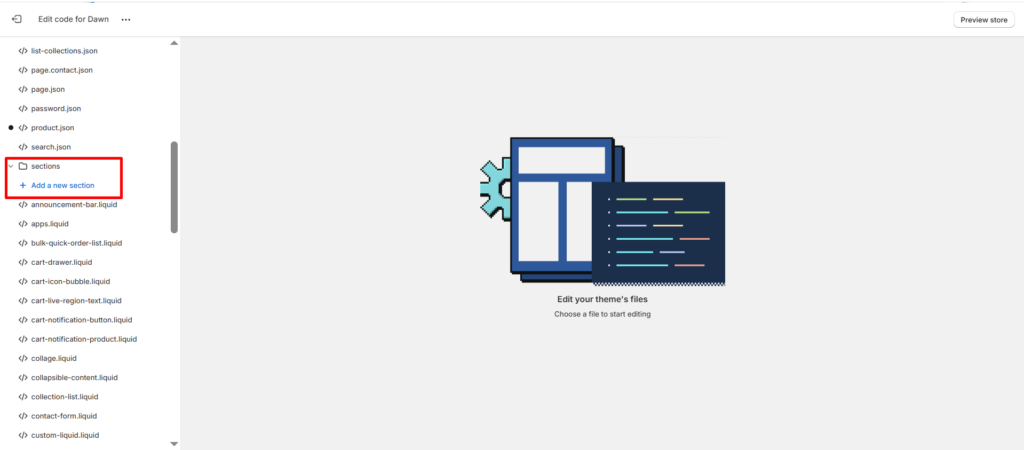
- Find the folder named sections.
- Click on Add a new section.
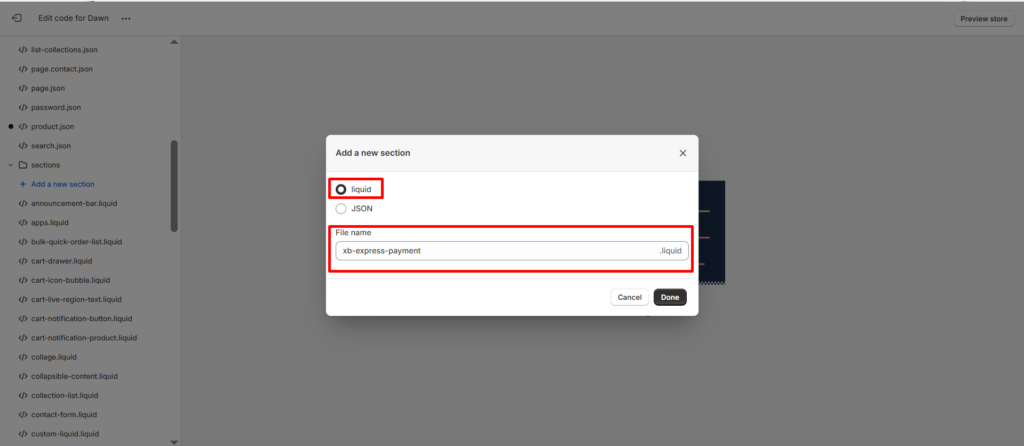
- Add new section and name it as xb-express-payment.
- Add the bellow code to the liquid file and save:
{% if additional_checkout_buttons %}
{{ content_for_additional_checkout_buttons }}
{% endif %}
{% schema %}
{
“name”: “xb-express-payment”,
“tag”: “section”,
“class”: “section”
}
{% endschema %}
3. Add new liquid file to theme
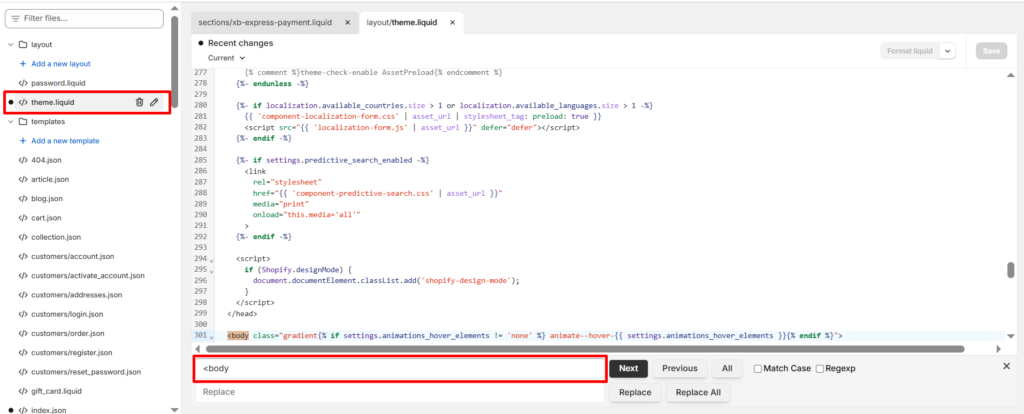
- Open the file named theme.liquid and and find the <body> tag
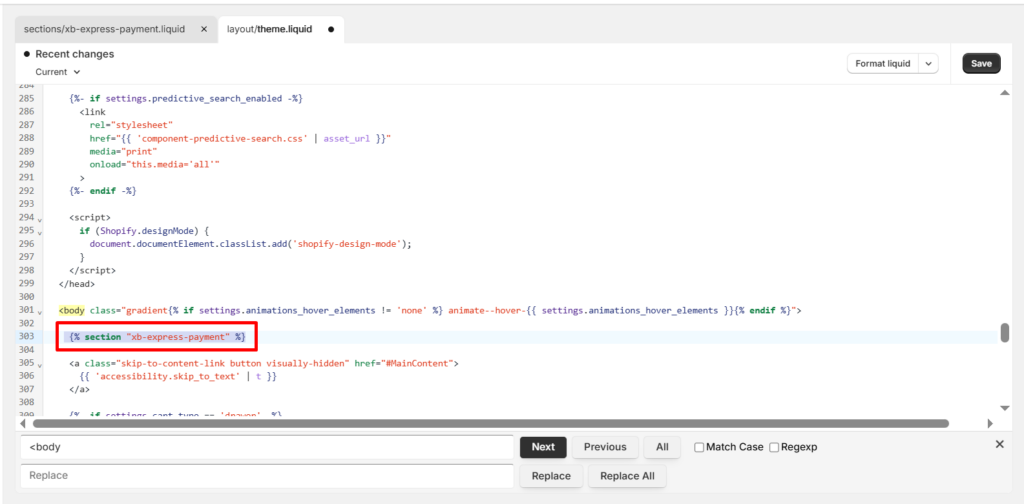
- Place the code snippet: {% section “xb-express-payment” %} just after the open <body> tag.
- Save your changes.
4. Enable Express payment
- Open Cart Drawer and scroll down to Express payment field.
- Tick to checkbox Enable Express payment to enable this function.
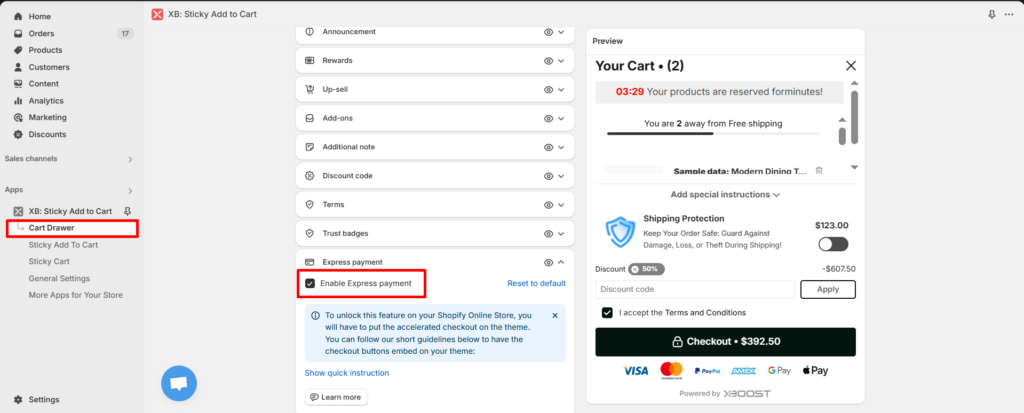
- Save your changes.
You can check express payment in your storefront.
