
Customize Sticky Add To Cart
You can customize Sticky Add To Cart with your styling and this can make your interactions more efficient and enjoyable.
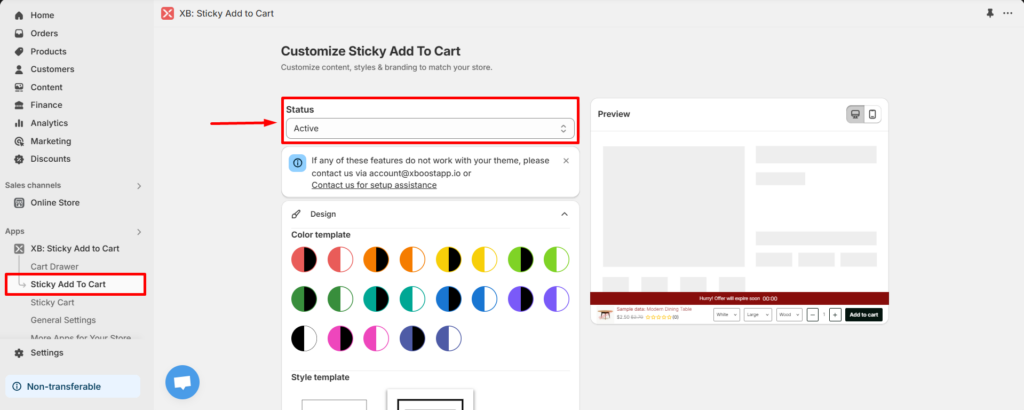
1. Status
Open sticky add to cart and select Active to enable sticky add to cart (SATC).
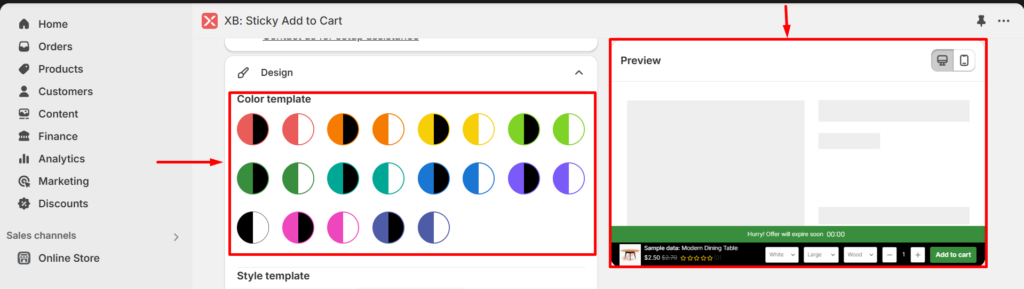
2. Color template.
Click on color template and check it on preview field.
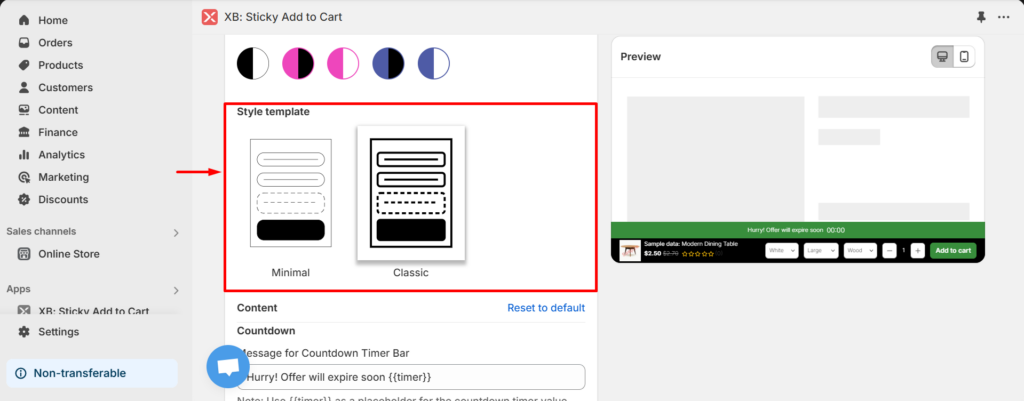
3. Style template.
You can select minimal or classic style for your STAC.
4. Countdown.
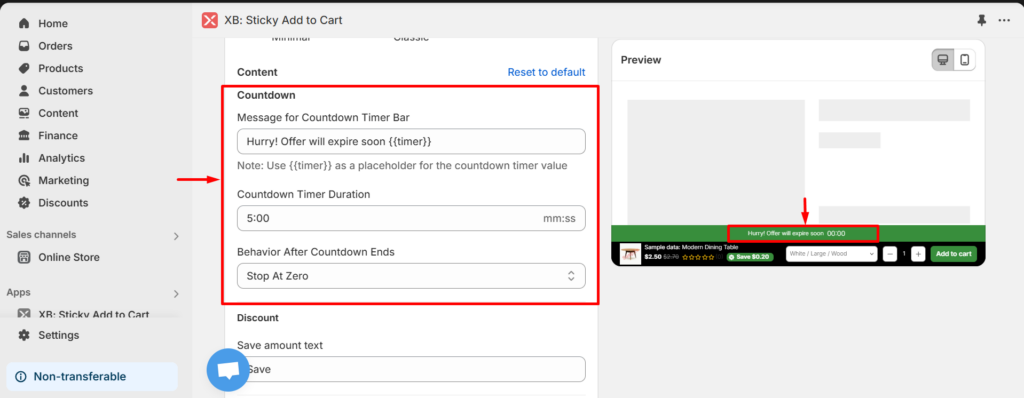
- Message for Countdown Timer Bar: Input the message encourage customer to checkout.
- Countdown Timer Duration: Set up time (minutes or seconds) for countdown timer duration.
- Behavior After Countdown Ends: Select the action after countdown ends (Stop At Zero, Loop or Disappear).
5. Text.
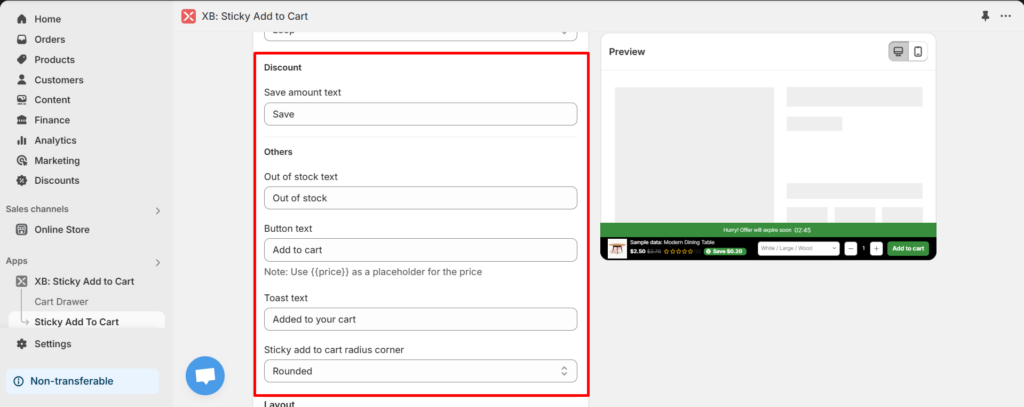
- Save amount text: It will be shown if the discount tag is enable.
- Out of stock text: Input text will be shown if the product is out of stock.
- Button text: Input text will be shown on the add to cart button.
- Toast text: Input text will be show if the product is added to cart successfully.
- Sticky add to cart radius corner: Select option for SATC radius corner (Sharp, Slightly Rounded, Rounded, Extra Rounded).
6. Layout.
You can setup layout separately for mobile and desktop. They can be the same or different, depending on your preference. Please select mobile if you want to set up for mobile and select desktop if you want to set up for desktop.
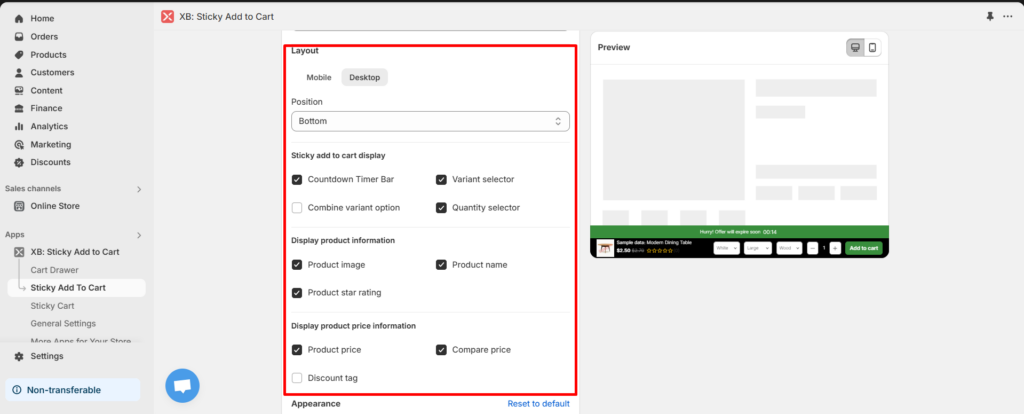
- Posittion: Select position of SATC (bottom or top)
- Countdown timer bar: If it enables, countdown timer bar will be shown.
- Variant selector: If it enables, The variants of product will be shown.
- Combine variant option: Instead of displaying variants separately, they will be combined into variant sets.
- Quality selector: If it enables, The quantity will be shown.
- Product image: If it enable, the product image will be shown on SATC.
- Product name: If it enable, the product name will be shown on SATC.
- Product star rating: If it enable, the product star rating will be shown on SATC.
- Product price: If it enable, the product price will be shown on SATC.
- Compare price: If it enable, the compare price will be shown on SATC.
- Discount tag: If it enable, the discount tag will be shown on SATC.
7. Appearance.
7.1 Layout.
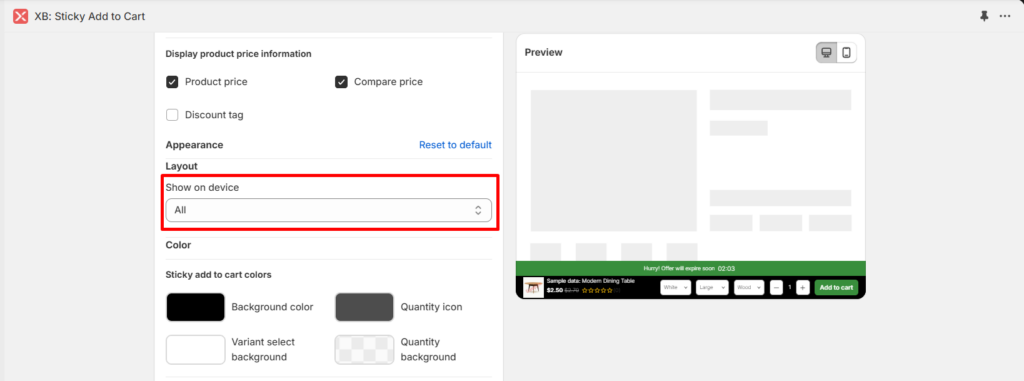
- Show on device: Select the option STAC will be show on (All, mobile, desktop).
7.2 Sticky add to cart colors.
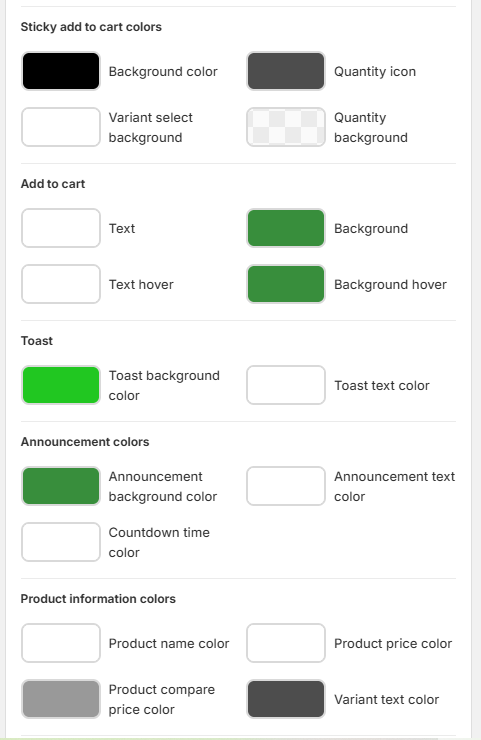
You can set up color for text, button, background, toast, announcement, product infomation and discount as you want. Check your changes on preview.
7.3 Text size
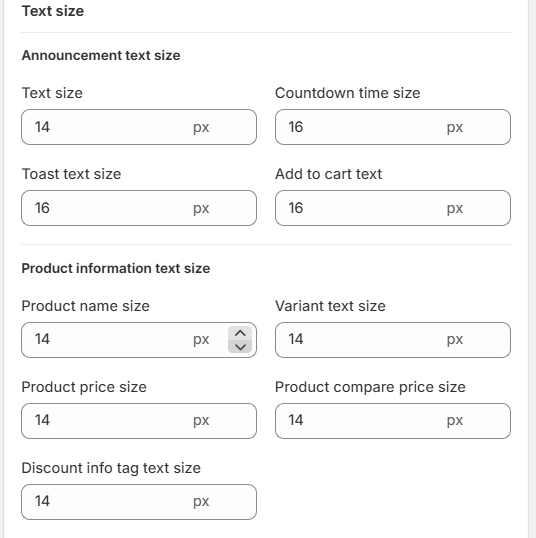
Announcement includes text size, countdown time size, toast text size, add to carttext size. Productionformation includes product name size, variant text size, product price size, product compare price size and discount info tag text size. These can be changed. Please enter the size values you would like to modify.
Customize your cart and save the setting, then you can check cart in the storefront.
