
Settings of Sticky Add To Cart
What is Settings of Sticky Add To Cart?
Settings of Sticky Add To Cart is a function that allows you to enable or disable the cart on the homepage, configure the “Add to Cart” action, and control when the cart displays on mobile and desktop. It helps you customize the cart according to your preferences.
User Guide
1. Open Settings of Sticky Add To Cart.
Select Sticky Add To Cart, then scroll down and click on Settings.
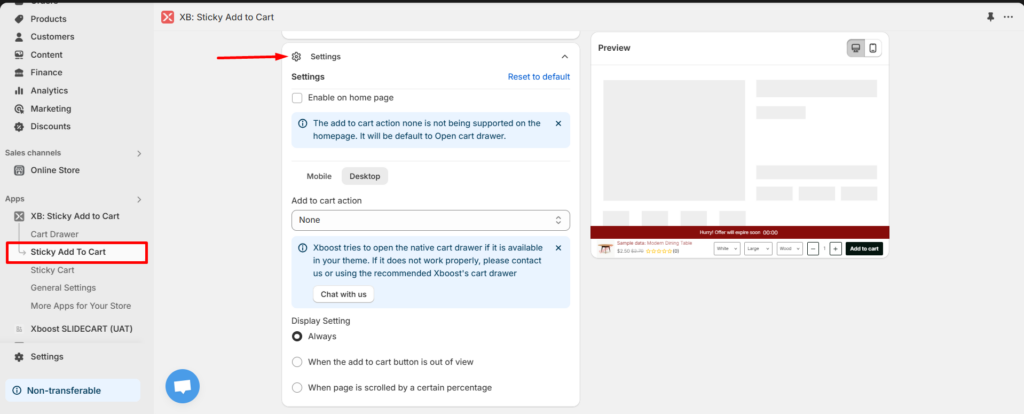
2. Enable on home page.
The add to cart action none is not being supported on the homepage. It will be default to Open cart drawer. So if you want to open Sticky Add To Cart on home page please click to enable and input product URL that you’ve added as a featured product on the homepage.
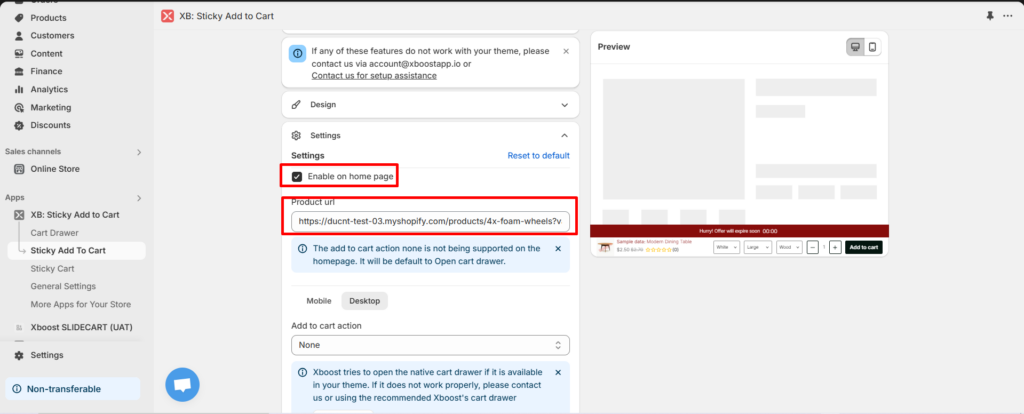
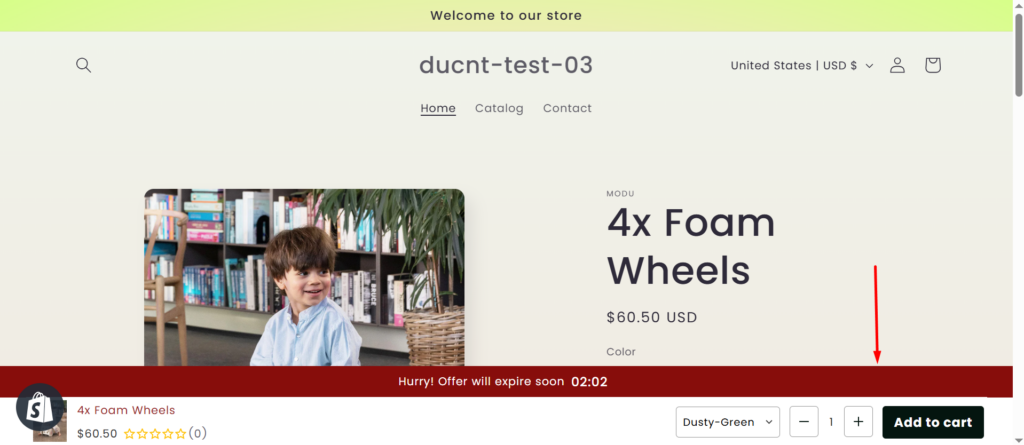
=> Sticky Add To Cart will show on home page as you want. Example bellow:
3. Add To Cart action.
There are 4 options for add to cart action:
- None: The action is the same as your cart settings for the theme. For example, if you have set up a cart drawer, clicking the “Add to Cart” button will open the cart drawer.
- Only Add To Cart: Adds the product to the cart only.
- Go To Cart Page: Opens the cart page after clicking the “Add to Cart” button.
- Go To Checkout: Opens the checkout page after clicking the “Add to Cart” button.
You can configure the action separately for mobile and desktop. They can be the same or different, depending on your preference.
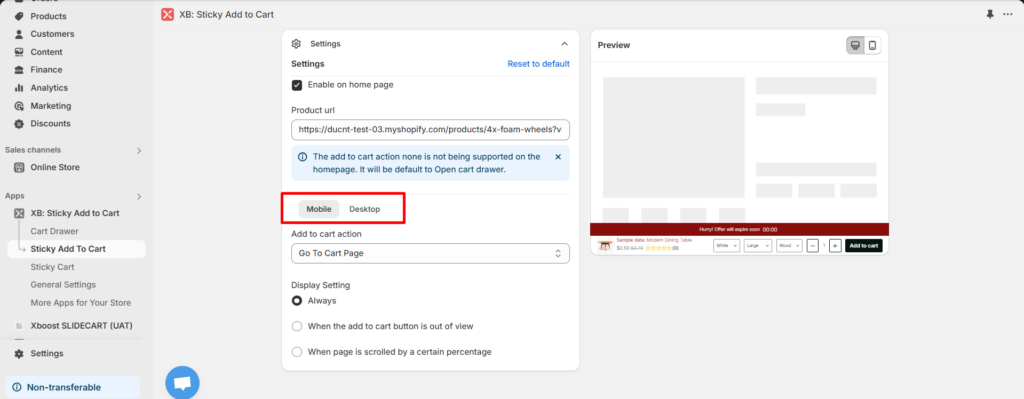
4. Display Setting
You can select option to when the sticky add to cart occurs. We have 3 options as bellow:
- Always: The Sticky Add to Cart is always visible.
- When the add to cart button is out of view: The Sticky Add to Cart will appear only when the “Add to Cart” button is no longer visible on the screen.
- When page is scrolled by a certain percentage: The Sticky Add to Cart will appear only after the page has been scrolled by a certain percentage.
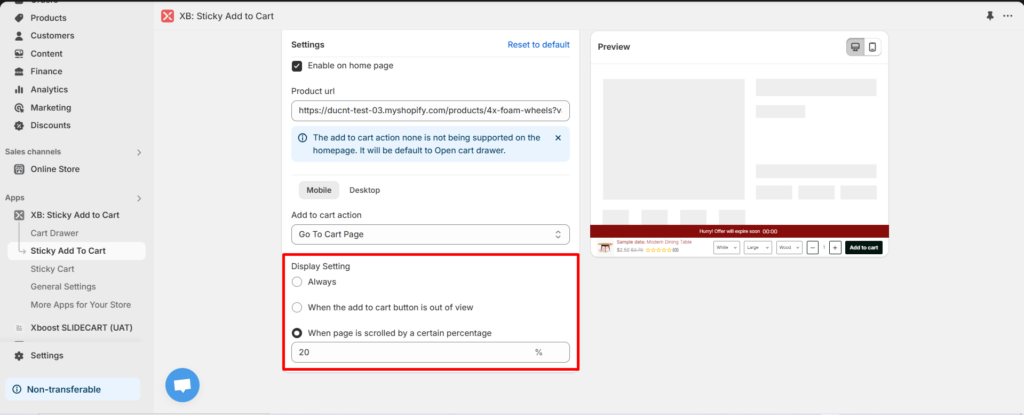
- Select the option you prefer then save your configuration and verify that it works on the storefront.
