
How to customize a fixed bundle widget (updated)
Overview
Customizing a fixed bundle widget can be a great way to tailor the shopping experience for your customers. You can design your widget with your styling and this can make your interactions more efficient and enjoyable.
User Guide
To customize a fixed bundle widget follow these detailed steps:
1. Go to Appearance step
- Open/Create the offer and click on Appearance step.

2. Customize the content
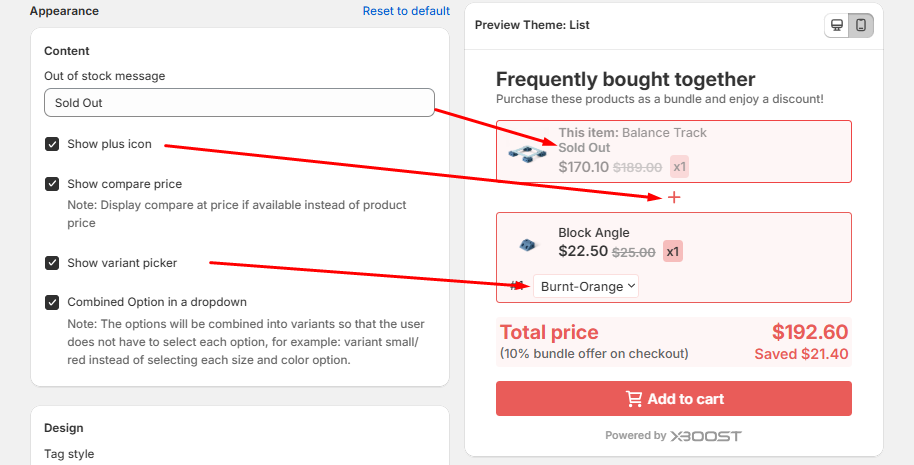
- Out of stock message: Enter the message that will be displayed when the product is out of stock.
- Show plus icon: Enable to show plus icon.
- Show compare price: Enable to show compare price that set in product information.
- Show variant picker: Enable to show variant picker.
- Combined Option in a dropdown: Enable to combine option instead of selecting each option.
3. Customize the Appearance
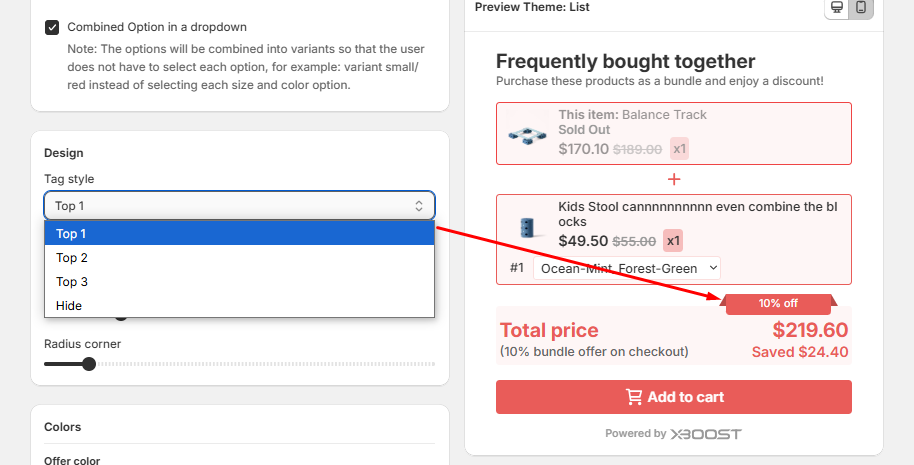
- Tag style: Select style of tag and check it is shown on preview.
- Photo size: Configure photo to size as you want.
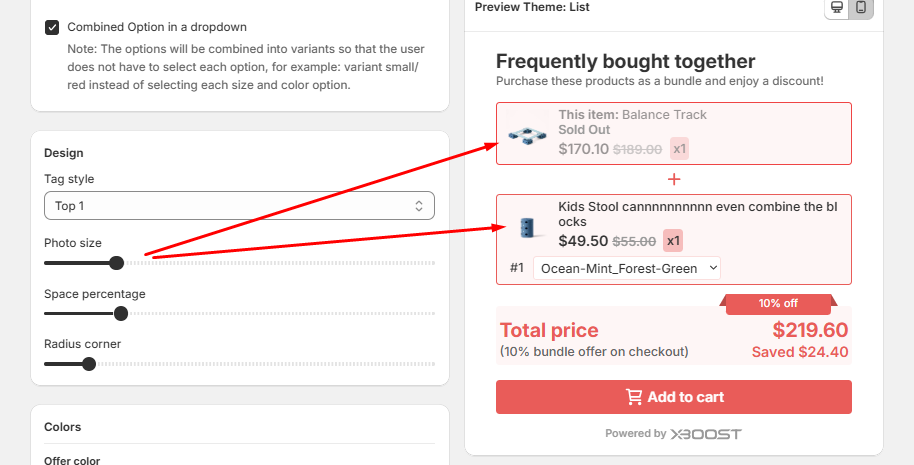
- Space percentage: Allow you can set space percentage as you want.
- Radius corner: Allow you can set radius corner as you want.
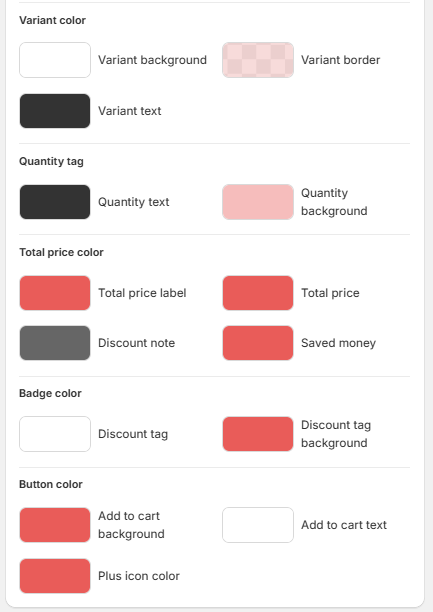
4. Customize the Colors
- Offer color: Background.
- Offer title color: Title and Subtitle.
- Product color: Product title, Product background, Product border color, Price,
Compare price.
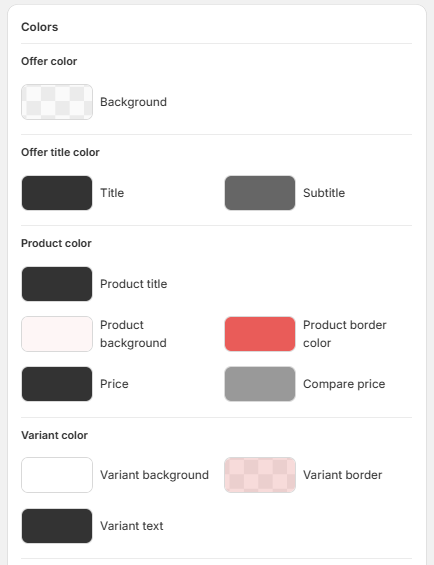
- Variant color: Variant background, Variant border, Variant text.
- Quantity tag: Quantity text, Quantity background.
- Total price color: Total price label, Total price, Discount note, Saved money.
- Badge color: Discount tag, Discount tag background.
- Button color: Add to cart background, Add to cart text, Plus icon color.
5. Text size
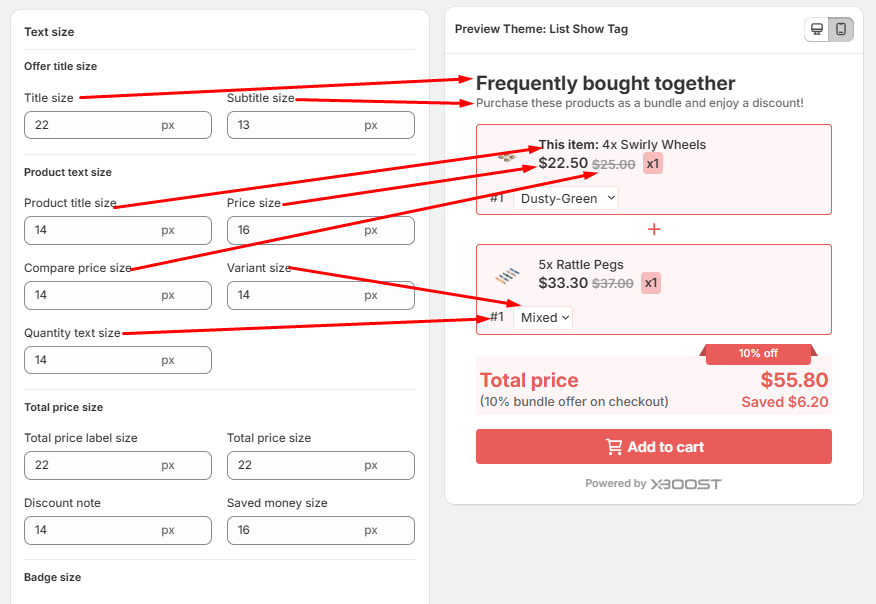
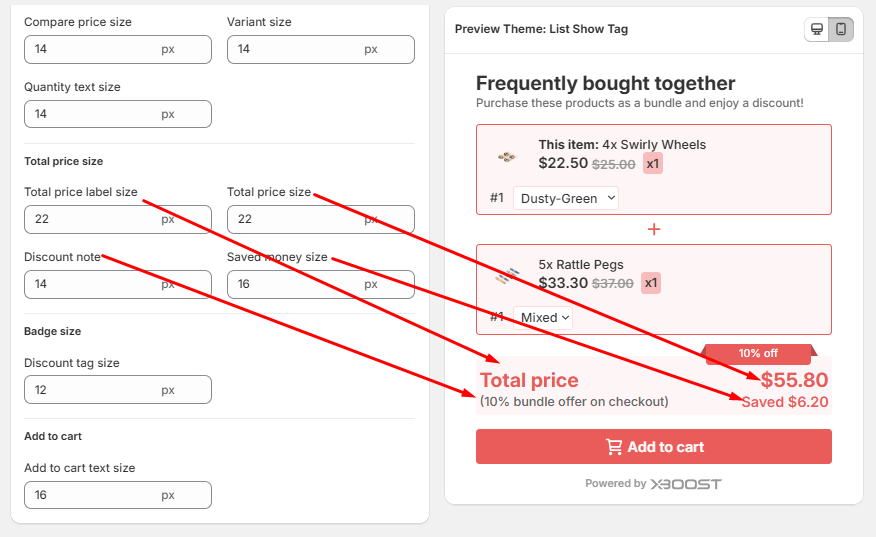
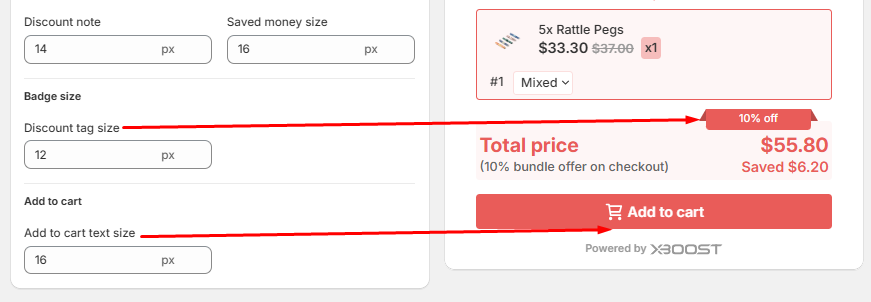
- Enter the value for text size what you want to customize.
- Mapping offer title size, product text size as bellow:
- Mapping total price size as bellow:
- Mapping Badge size, add to cart as bellow:
6. Save your changes
Once your design is complete, please click Save to finalize your changes.
