How to integrate Xboost with PageFly
Overview
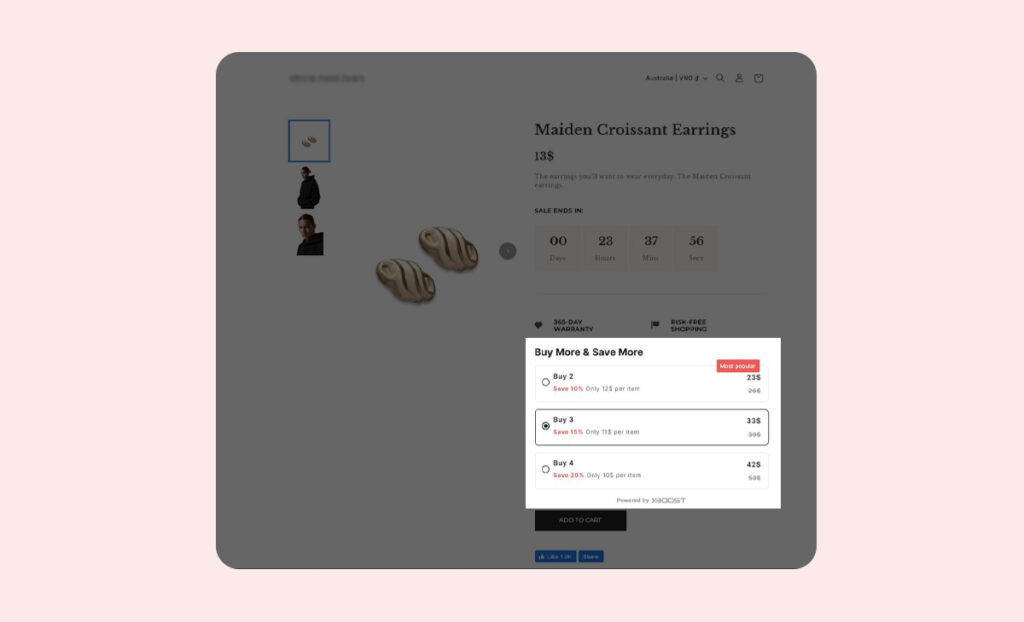
We have provided integration for Xboost with PageFly. You can configure our offers to displayed on your pages if you use PageFly as bellow:
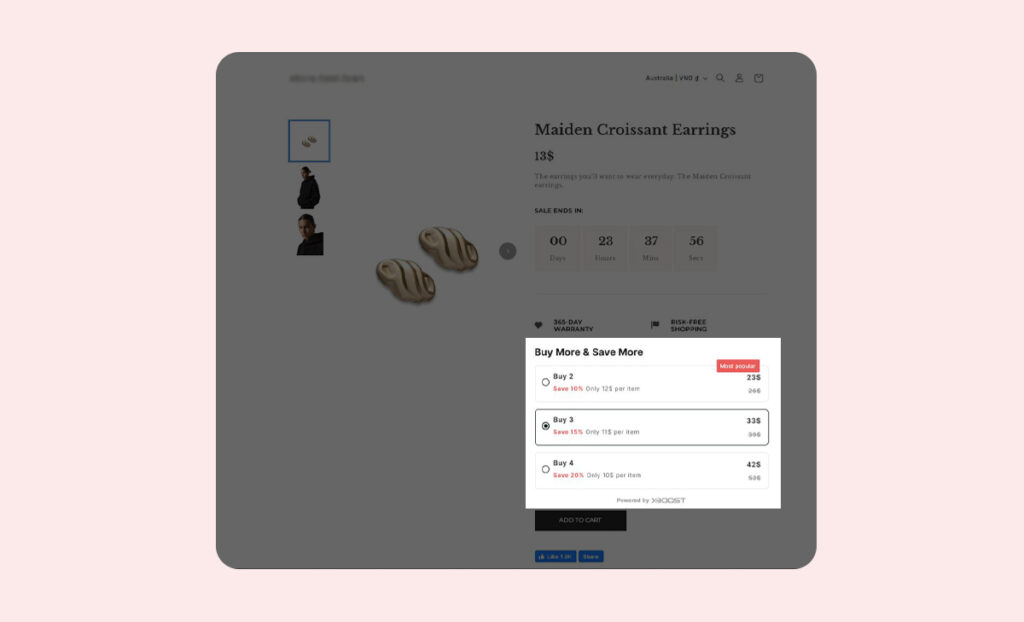
User Guide
1. Copy HTML code for the offer types you want.
We have 6 offer types, please copy the code as you want.
- Quantity breaks offer:
<div id=”xb-quantity-breaks-root”></div>
- Product Add-ons offer:
<div id=”xb-product-add-ons-root”></div>
- Fixed bundle offer:
<div id=”xb-fixed-bundle-root”></div>
- Frequently Bought Together offer:
<div id=”xb-product-bundle-root”></div>
- Recommendation slider:
<div id=”xboost-recommendation-root”></div>
- Mix and match offer:
<div id=”xb-mix-and-match-root”></div> - Buy X Get Y offer:
<div id=”xb-buy-x-get-y-root”></div>
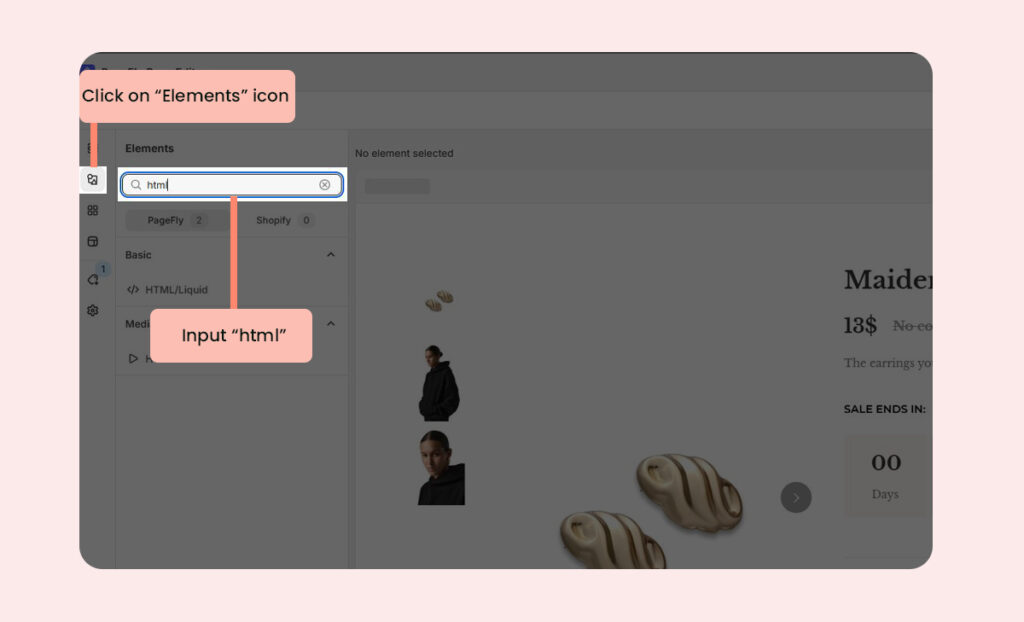
2. Search HTML code in PageFly.
- Open the page where you want to display your product. Click on Elements and input html to search field.
3. Select the offer location.
- Drag and drop HTML/Liquid code to the desired location for your offer.
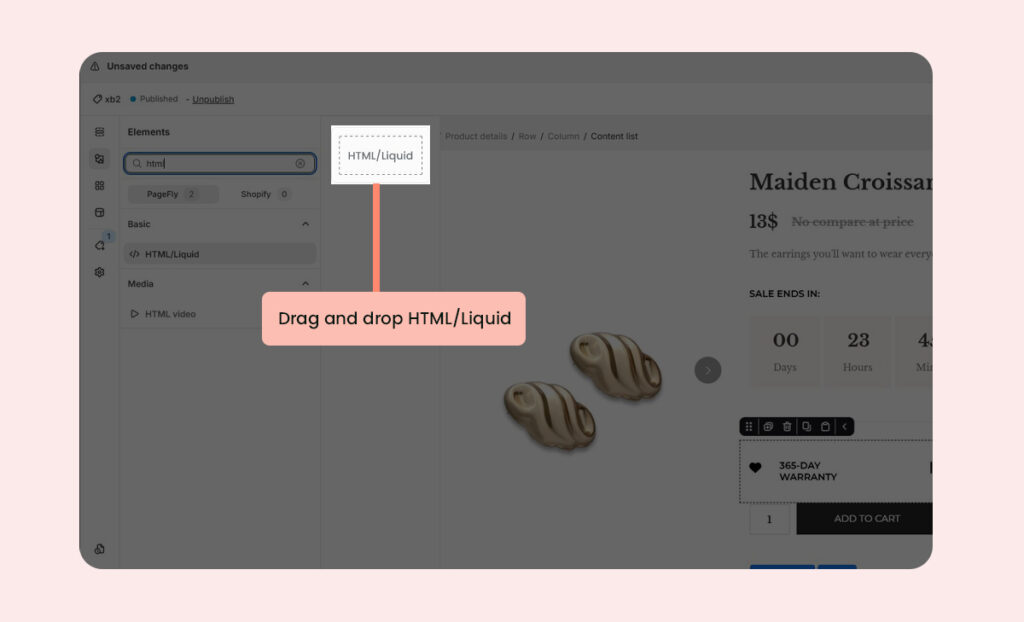
Here’s an example we suggest:
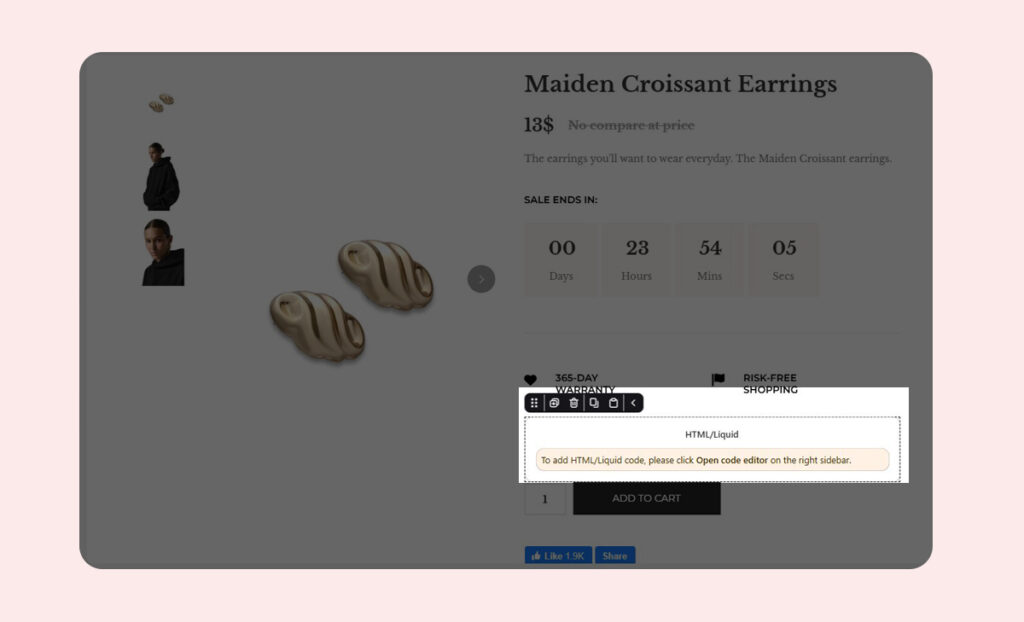
4. Paste your code into the code editor field.
- Open code editor and input your code.
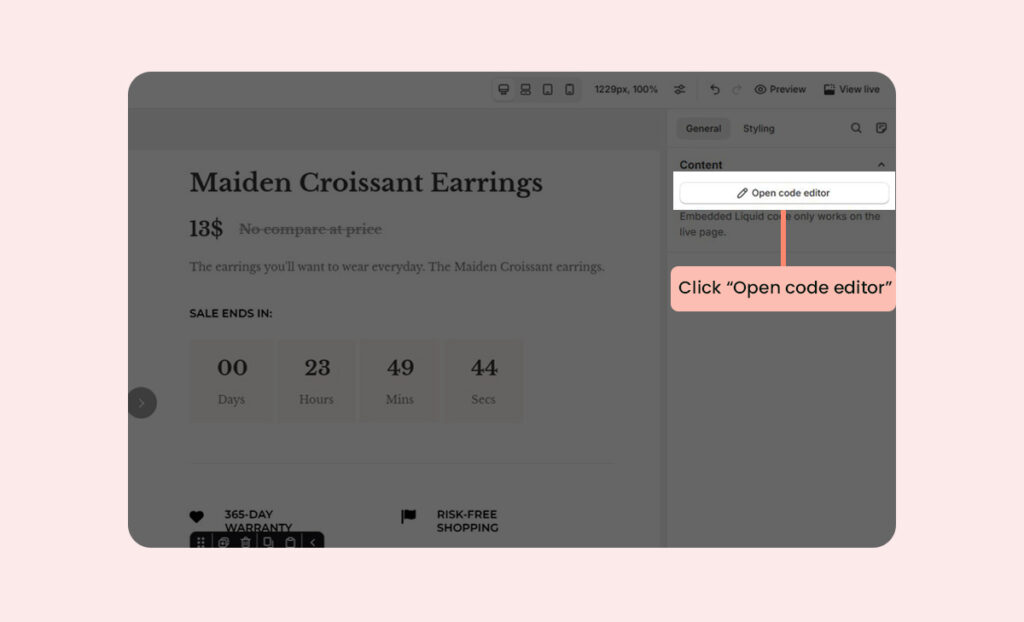
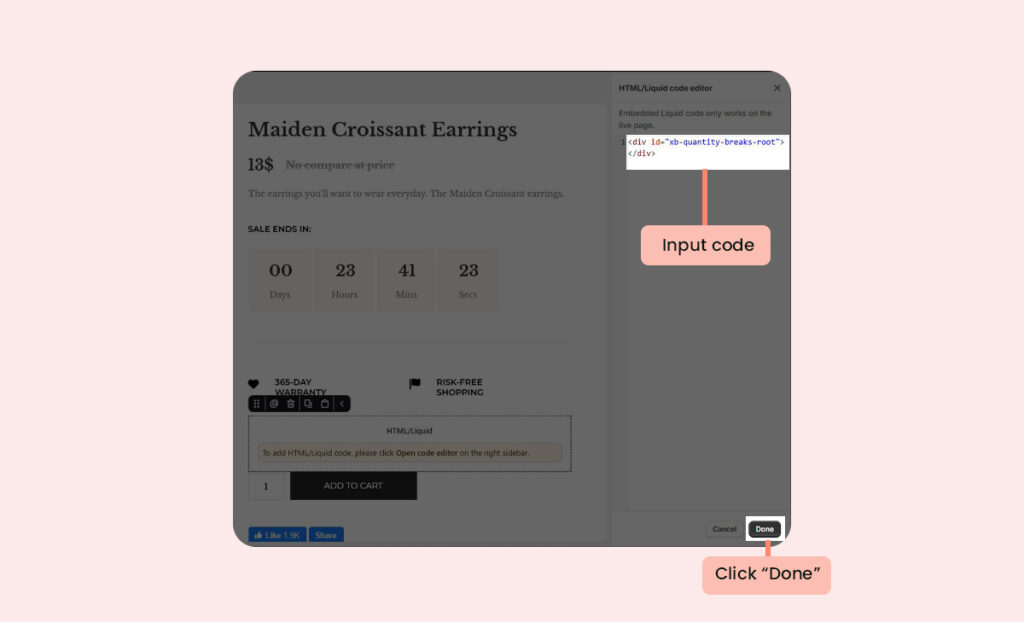
For example, if you want to display the Quantity Breaks Offer, please input the following code and click Done:
<div id=”xb-quantity-breaks-root”></div>
5. Save the code and publish the page.
- Click Save and Publish the page editor.
Now you can see the offer on your page:
Quantity Breaks offer: