
How to translate an offer
Overview
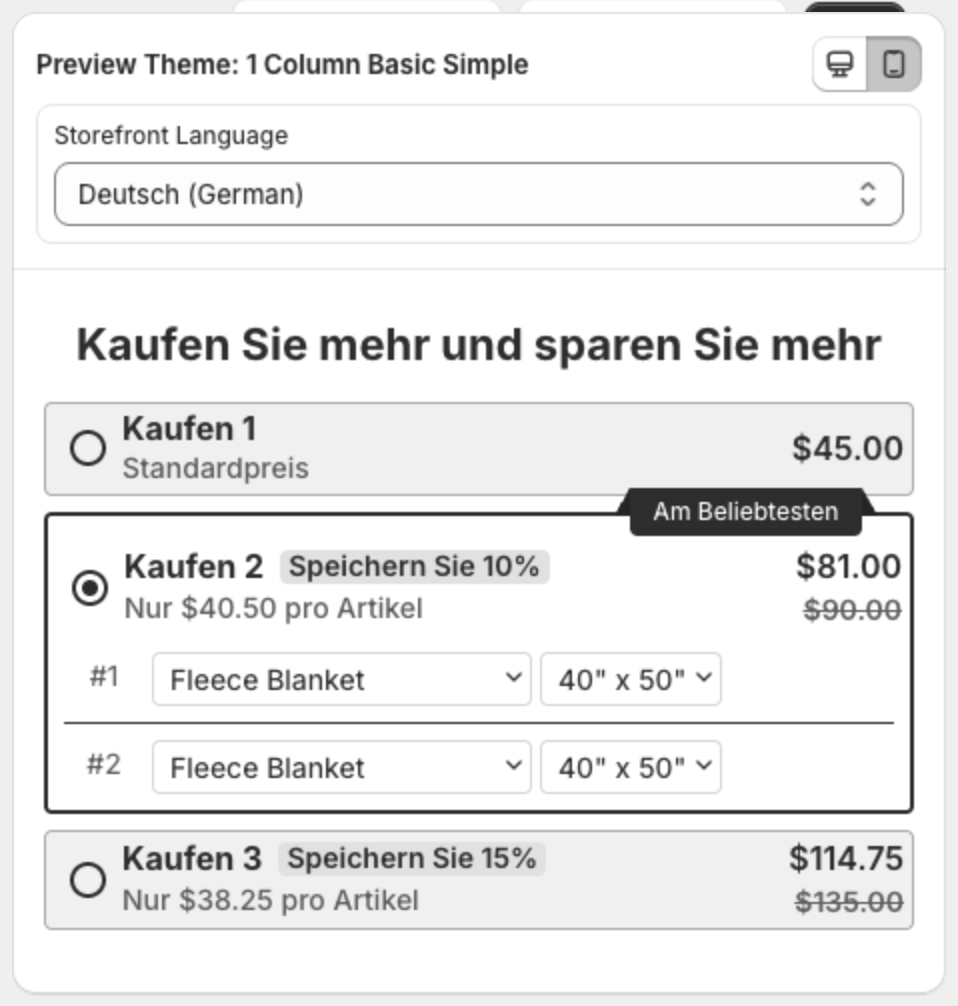
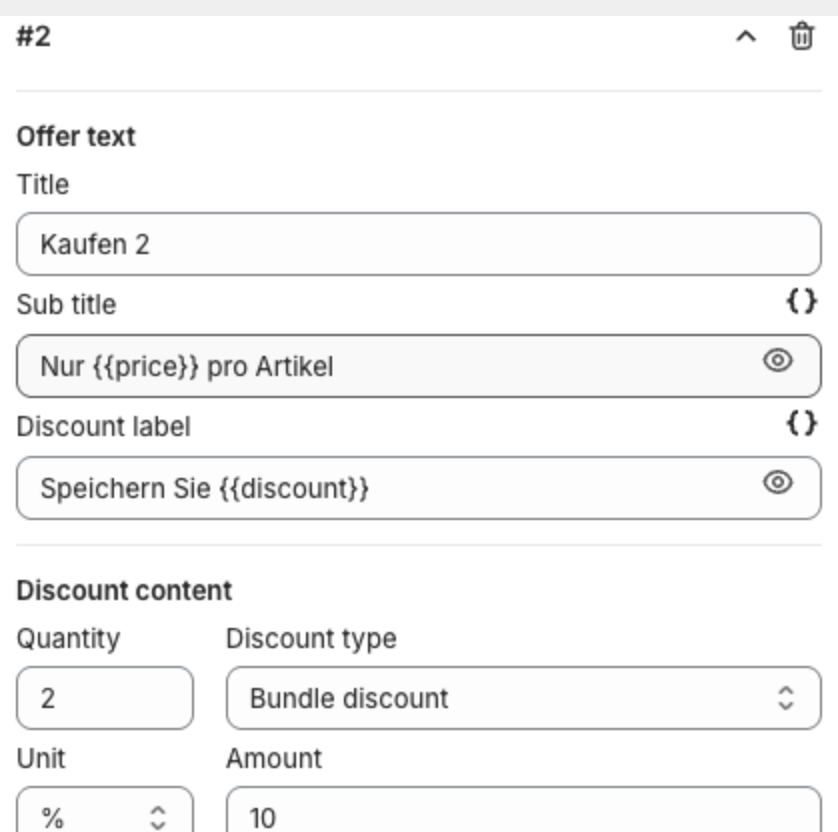
If your store sells in more than one language, each offer can have its texts in every language. Shoppers see the language they browse your store in. The app already includes translations for common texts, for example "Kaufen 2" and "Speichern Sie 10%" in German.
Before you start
- Add and publish the languages in Shopify: Settings > Languages.
Steps
- Open the offer.
- Above the preview, pick a language in Storefront Language, for example Deutsch (German). If you have unsaved changes, save them first.
- The fields and the preview now show the texts in that language. Edit them, for example the tier Title, Sub title and Discount label, and the Offer title.
- Click Save. Repeat for each language.
Each language keeps its own texts. Switch Storefront Language back to your default language to check the original texts.