
Quantity Breaks discount type
Overview
XB: Bundles Quantity Breaks allows you to enable discount when creating the offer. We’ve provided quantity break discount type for a quantity break offer.
Quantity breaks discount will be applied if the customer purchases the tiers that you've configured previously. We've set up default 3 tiers for you: Buy 1, Buy 2 and Buy 3. You can configure the number of tiers and tier information as you wish.
User Guide
1. Discount types
- Default price: The price is the default price. There is no discount for the tier.
- Bundle discount: The customer will buy the tier with a discount applied to each item. Example: Buy 3 items and receive a 20% discount.
- Fixed price: The customer will buy the tier at a fixed price that has been set. Example: Buy 3 items for 30$.
2. Configure tiers
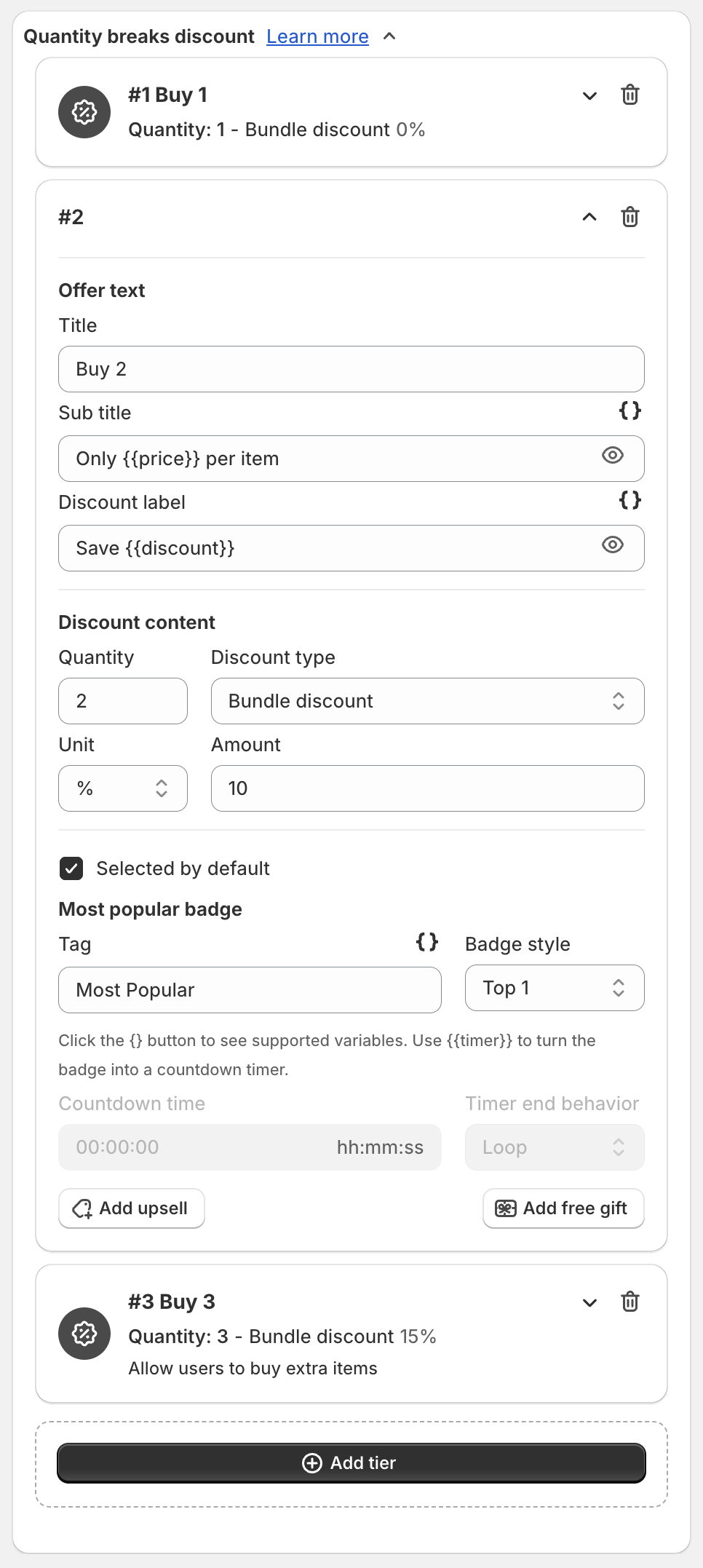
Click on the tier to configure your tier.
- Title: Enter the title of the tier.
- Sub title: Enter sub title of the tier.
- Discount label: Enter the discount label of the tier.
- Quantity: The number of products will be bought if customer selects this option.
- Discount type: Select discount type for the tier.
- Unit and Amount: Unit and amount of discount will be applied if customer selects this option.
- Most popular badge: type a Tag (for example "Most Popular") and pick a Badge style.
- Selected by default: the tier is selected when the page opens.
For every tier setting, see How to create a Quantity Discounts offer.
3. Quantity break variables
What is quantity break variable?
Quantity break variable is a snippet of code that renders details dynamically. By selecting different variables, you will generate specific information for each tier.
How to use quantity break variable?
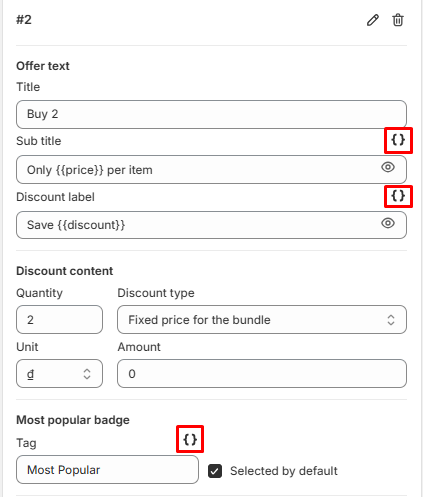
- Click the {} icon next to the field. After clicking the icon, all available options are displayed.
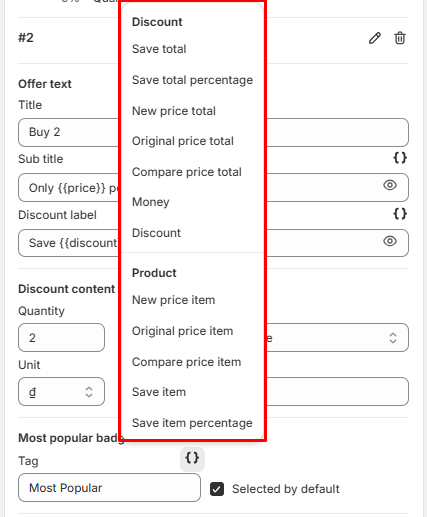
- Select options you want to use.
- The variable is reflected in the preview.
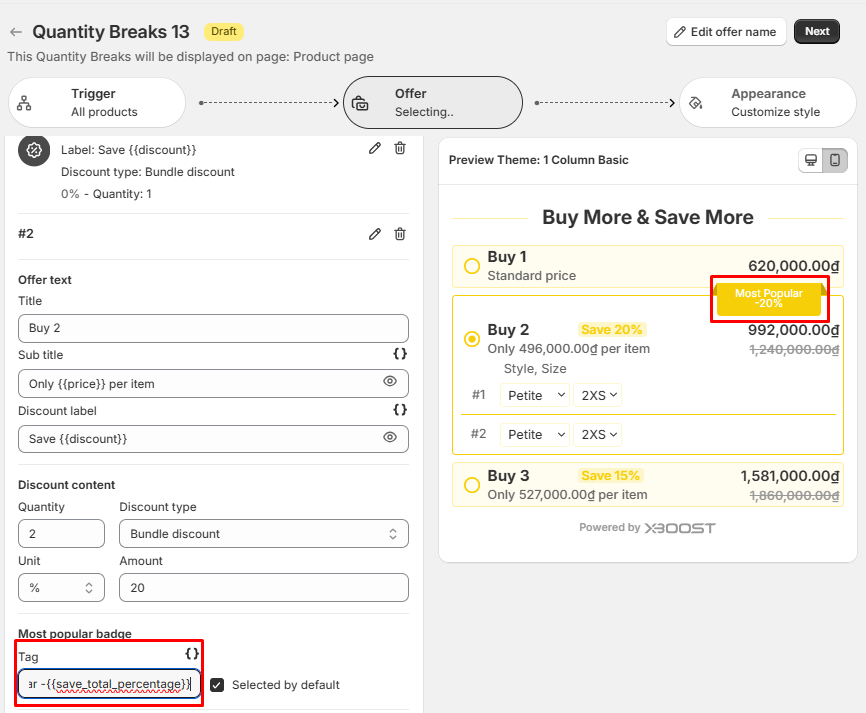
- Click Save to finalize your changes.