
Fixed Bundle discount types
Overview
XB: Bundles Quantity Breaks allows you to enable discount when creating the offer. These discount types are available for Fixed bundle and AI Frequently Bought Together offers:
- Default price
- Bundle discount
- Fixed price
- Discount by items order (AI Frequently Bought Together only)
User Guide
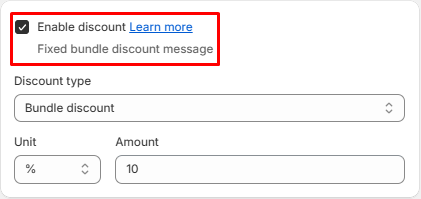
To trigger a discount for the offer you have to enable discount when creating a offer:
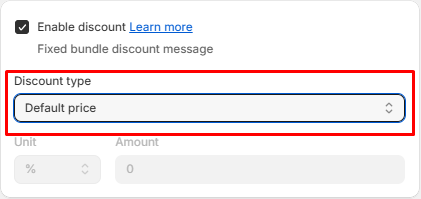
Pick the type under Discount type on the Offer step.
Default price
The price is the default price. There is no discount for the tier.
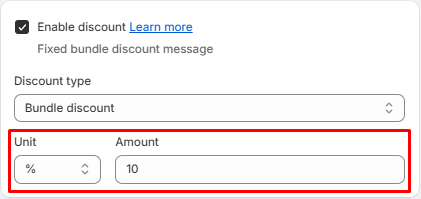
Bundle discount
The discount will be applied to selected products when customer buy all products of the offer.
- Input Unit and Amount
Example:
- Trigger products are X and Y.2. Unit = %, Amount = 20In this case customer will be applied discount 20% if they buy X and Y.
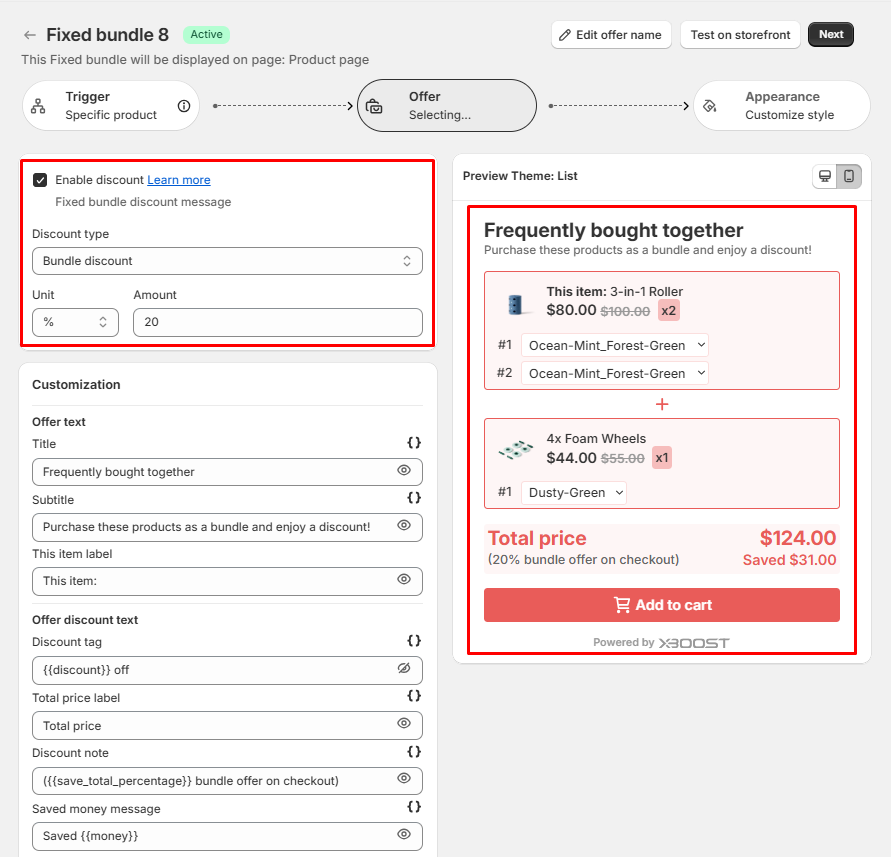
If they buy X or Y, the discount isn't applied.
Fixed price
The customer will buy the trigger products at a fixed price that has been set.
- Select Fixed price for discount type.
- Input Amount.
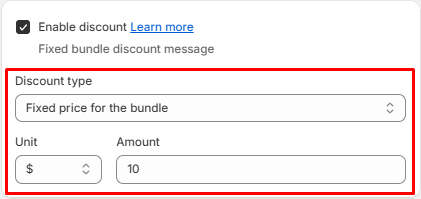
Example: If you configure the discount as above. Customer can buy all trigger products for 10$.
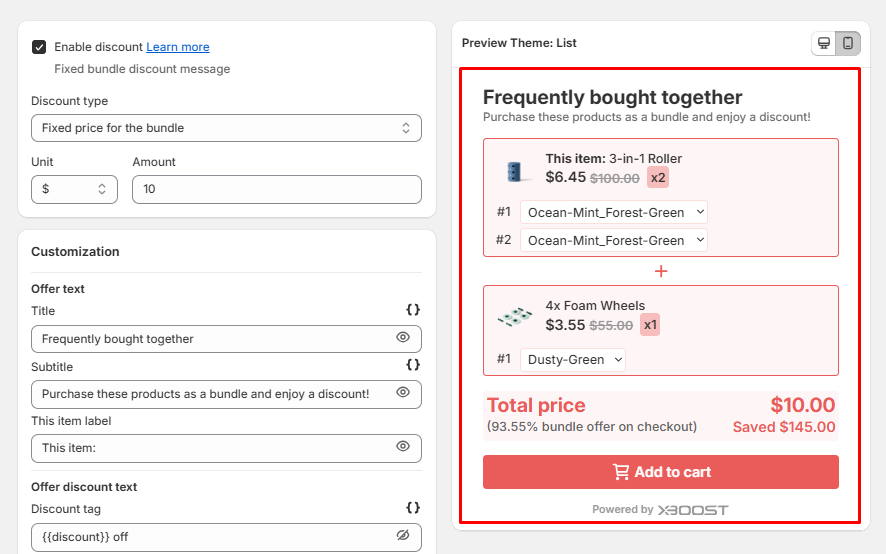
Discount by items order
Available on AI Frequently Bought Together offers. You set a separate discount for each item, by its position in the bundle.
On AI Frequently Bought Together offers, Minimum number of products required to apply the discount. sets how many products from the bundle the shopper must buy before the discount applies.
Fixed bundle variables
What is fixed bundle variable?
Fixed bundle variable is a snippet of code that renders details dynamically. By selecting different variables, you will generate specific information for each offer.
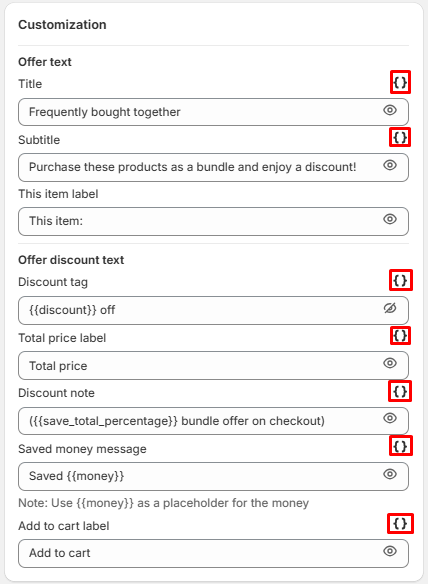
How to use fixed bundle variables?
- Click on Variable icon. After clicking the icon, all available options are displayed.
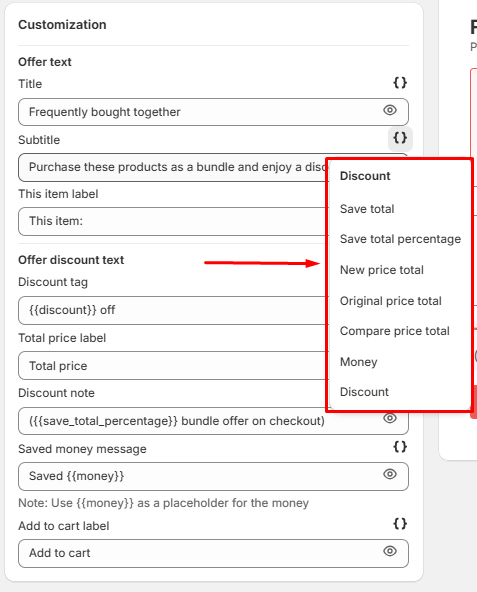
- Select options you want to use.
- The variable is reflected in the preview.
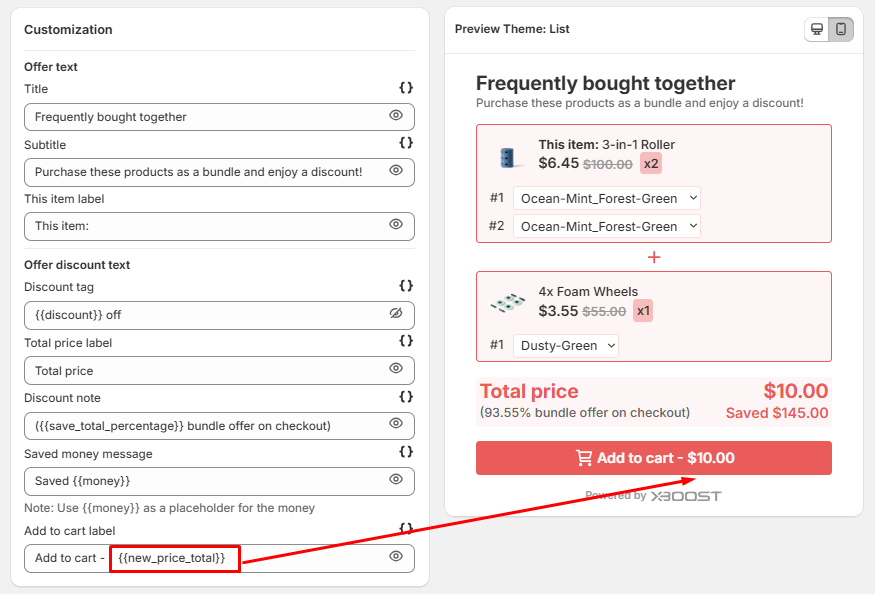
- Click Save to finalize your changes.