How to integrate Xboost with PageFly
Overview
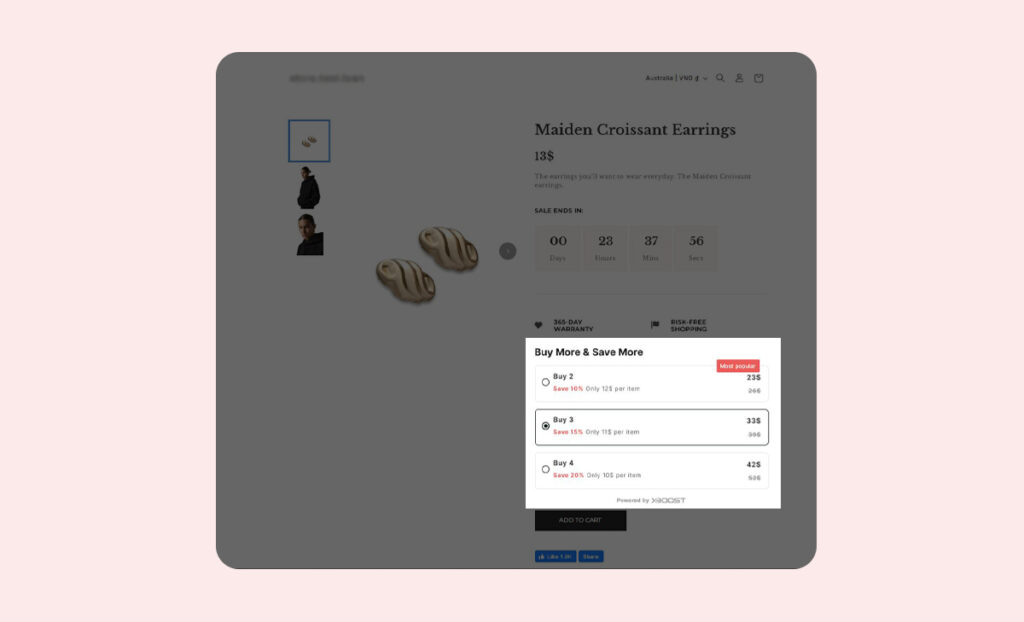
If you build pages with PageFly, you can show XB: Bundles Quantity Breaks offers on them with a small piece of code:
User Guide
1. Copy the code for your offer type
Copy the code for your offer type below. You also find it in the app: open the offer, go to the Offer step, and copy the code under Use this code for custom placement or page builders (Optional) in Settings.
- Quantity Discounts offer:
<div id="xb-quantity-breaks-root"></div>
- Product Add-Ons offer:
<div id="xb-product-add-ons-root"></div>
- Fixed bundle offer:
<div id="xb-fixed-bundle-root"></div>
- AI Frequently Bought Together offer:
<div id="xb-product-bundle-root"></div>
- Recommendation slider:
<div id="xboost-recommendation-root"></div>
- Mix & match offer:
<div id="xb-mix-and-match-root"></div>
- Buy X Get Y (BOGO) offer:
<div id="xb-buy-x-get-y-root"></div>
2. Search HTML code in PageFly.
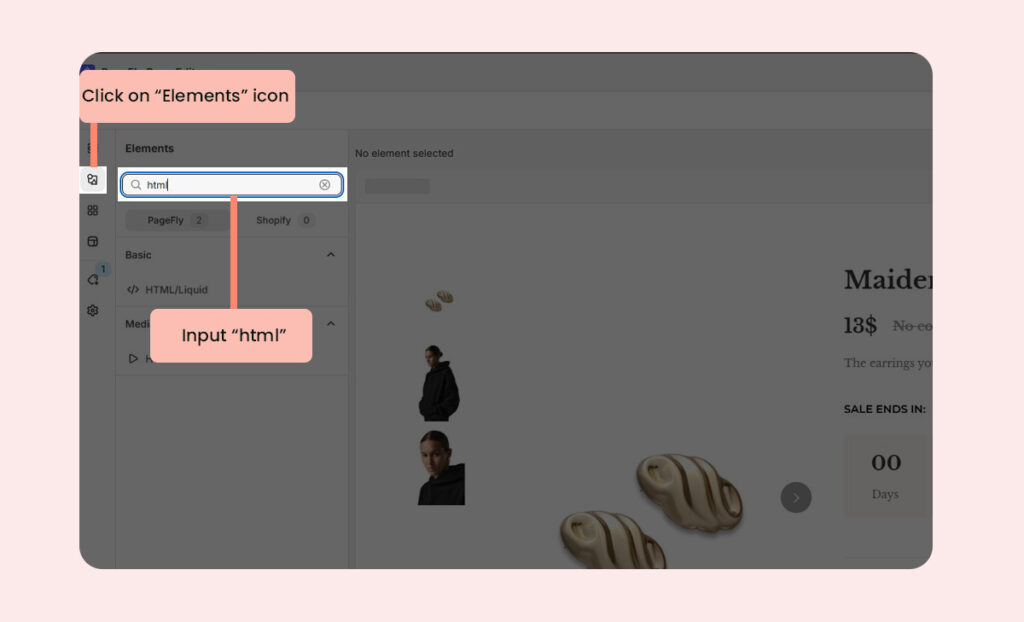
- Open the page where you want to display your product. Click on Elements and input html to search field.
3. Select the offer location.
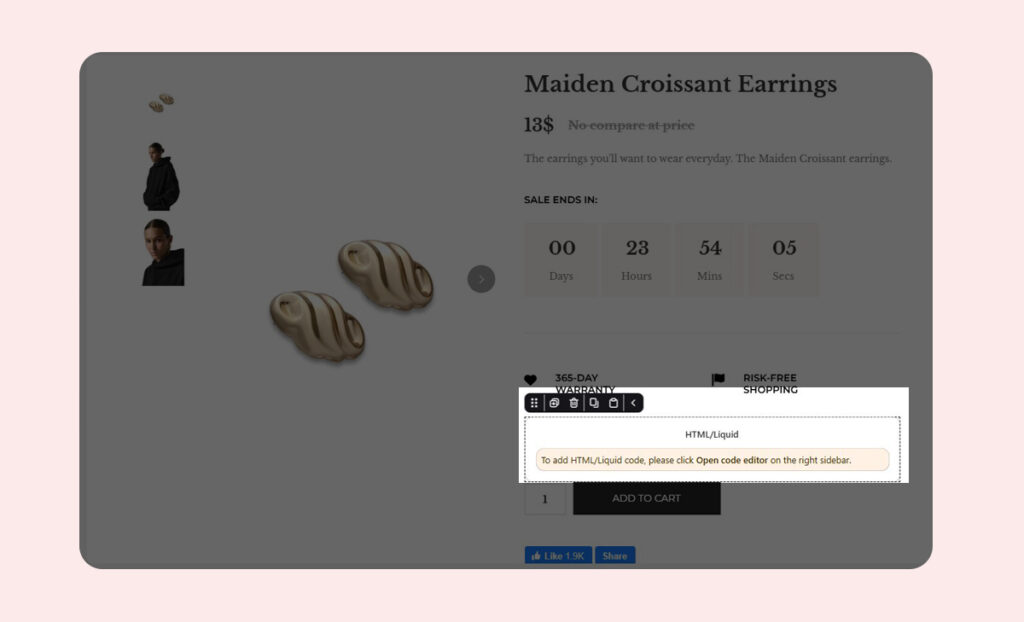
- Drag and drop HTML/Liquid code to the desired location for your offer.
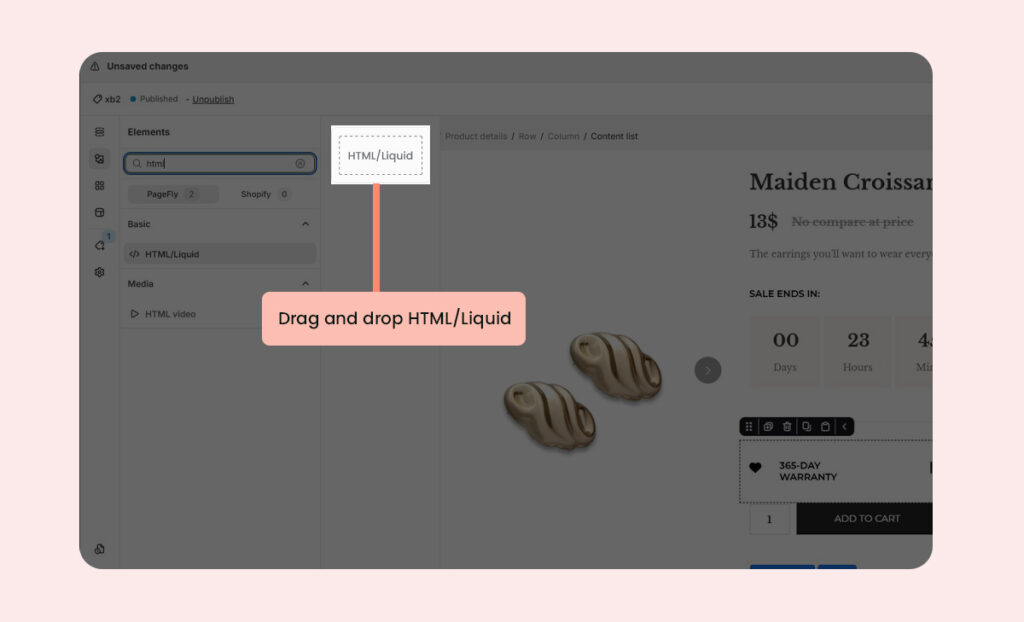
Here’s an example we suggest:
4. Paste your code into the code editor field.
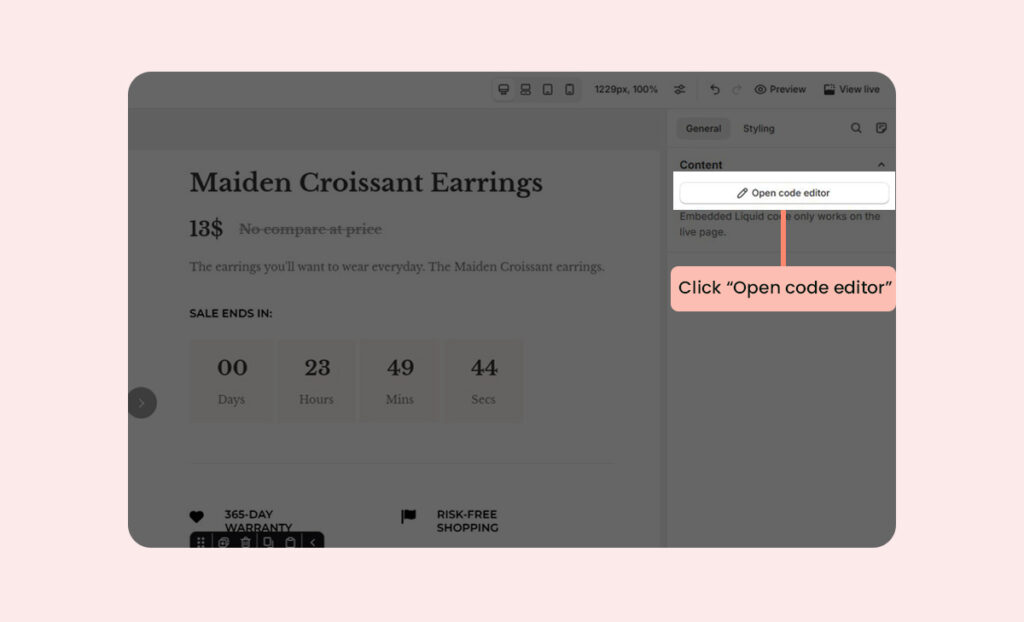
- Open code editor and input your code.
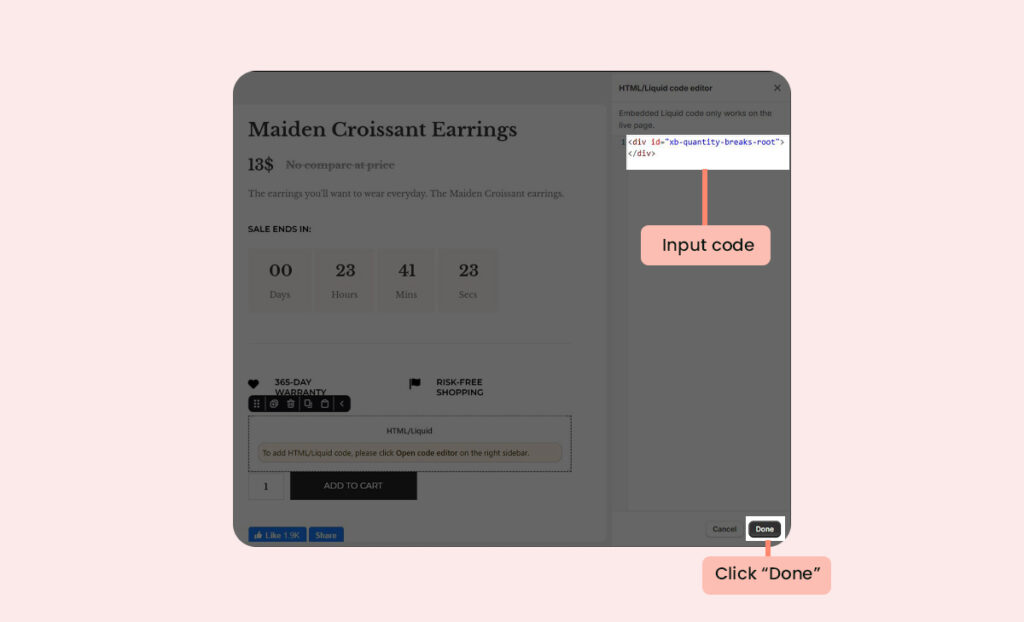
For example, if you want to display a Quantity Discounts offer, please input the following code and click Done:
<div id="xb-quantity-breaks-root"></div>
5. Save the code and publish the page.
- Click Save and Publish the page editor.
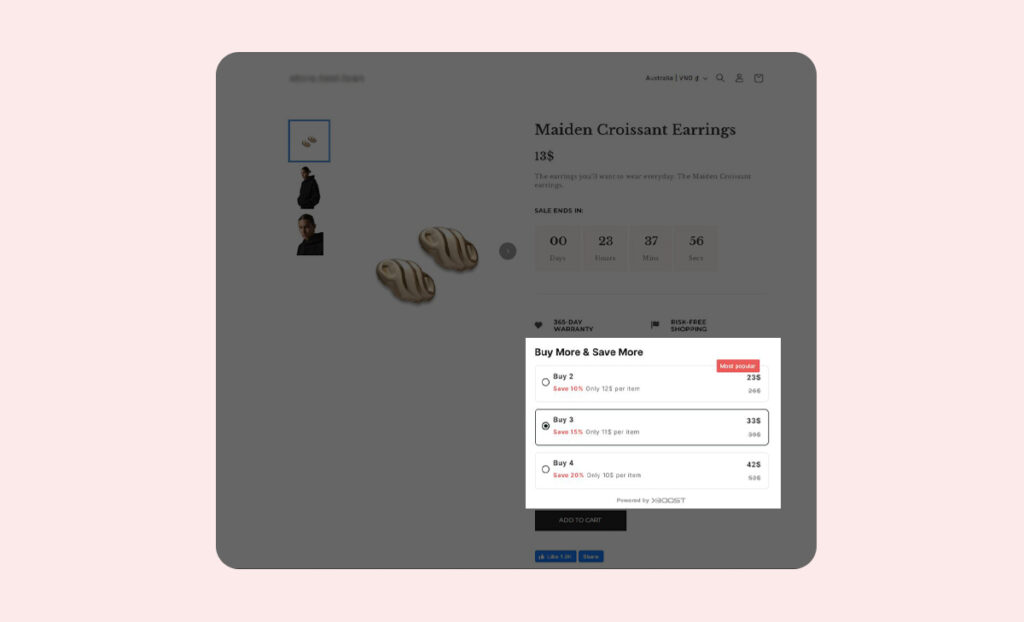
Now you can see the offer on your page:
Quantity Discounts offer: