How do I make the trust badges smaller?
Overview
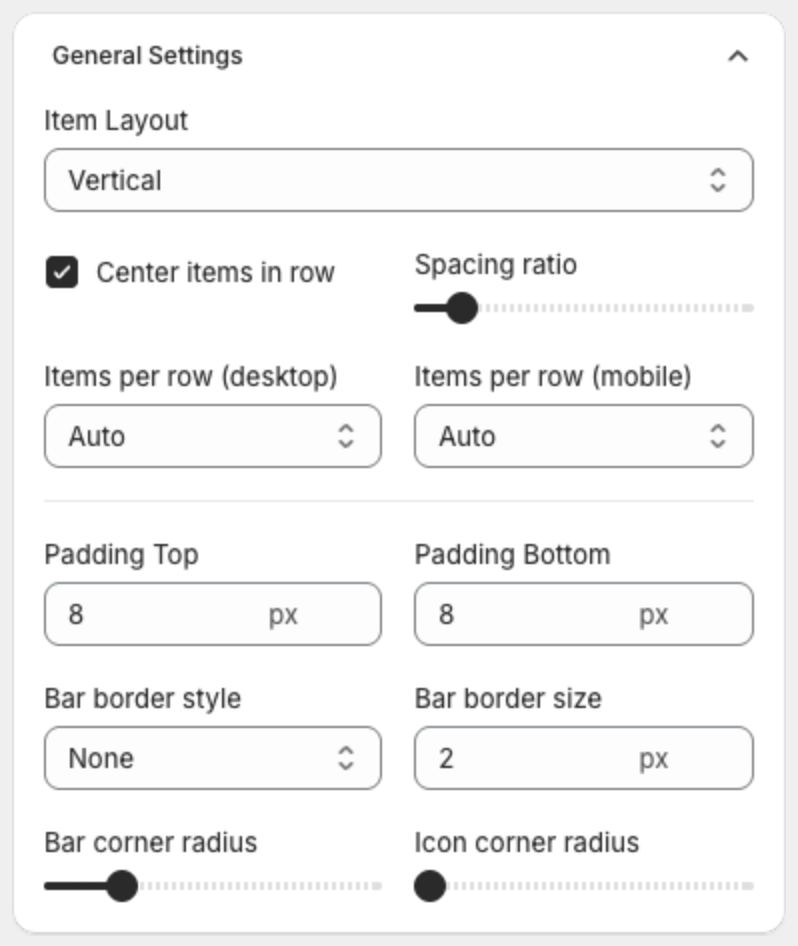
The height of the badges comes from the space above and below them and from the icon and text sizes. You change both in the Design step.
Steps
- Open Trust Badges and click the name of your badges.
- Click Design at the top of the editor.
- Under General Settings, lower Padding Top and Padding Bottom. The default is 8 px. Try 2 or 4 px.
- Under Text Size, lower Icon size, Title size and Subtitle size.
- To use fewer rows on mobile, raise Items per row (mobile).
- Check the Desktop Preview and Mobile Preview, then click Save in the bar at the top of the page.