
How to set offer products, discounts and the upsell funnel
Overview
The Offer step sets the products the customer sees after payment, with a discount and a shipping rule for each product. You can also add up to four follow-up pages: an upsell if the customer accepts, and a downsell if they decline.
Steps
1. Add the offer products
- Open the offer and click Offer.
- Under Offer products, click Add Product and pick products or variants. You can add several.
- For each product, set:
- The discount: No discount, Fixed price ($), Bundle discount (%) or Bundle discount ($), and the value. New products start with Bundle discount (%) 10.
- The shipping: Free shipping, or Charge for Shipping with a Shipping fee (Per unit if needed) and a Shipping title.
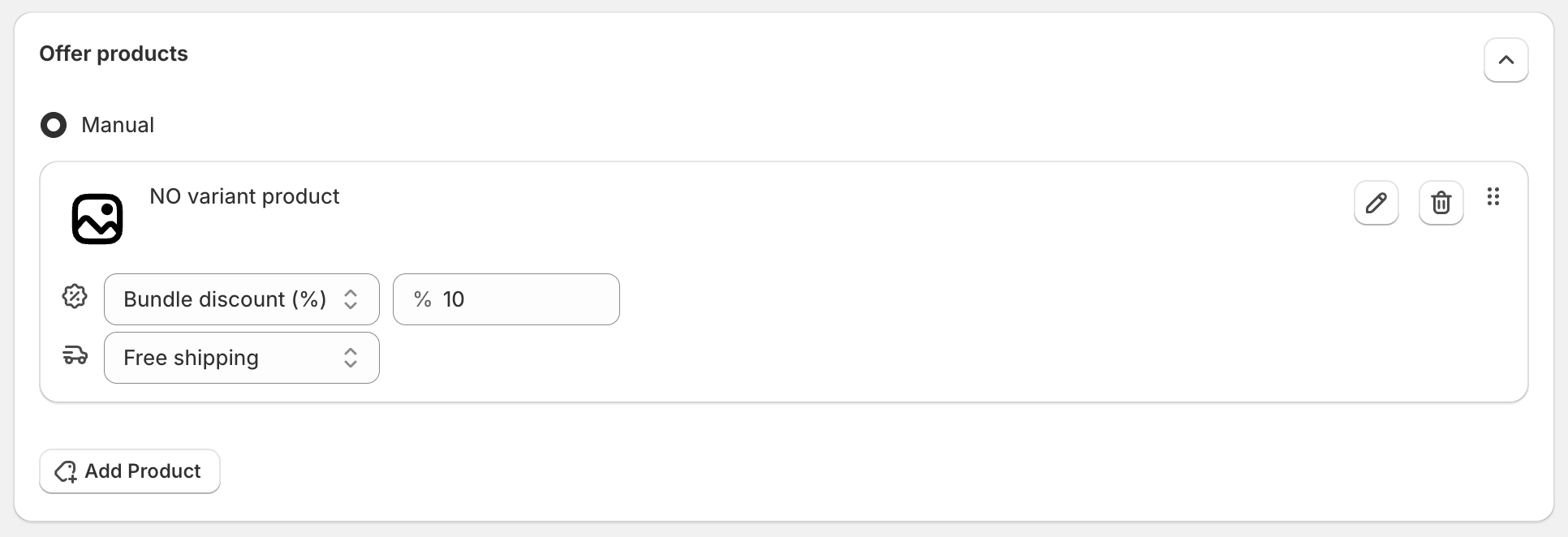
Click the pencil icon to change the product, the trash icon to remove it, or drag the handle to change the order.
2. Add follow-up offers (optional)
Below the products, turn on the pages you want:
- If accepted: Enable Upsell 1, shown after the customer accepts the first offer.
- If declined: Enable Downsell 1, shown after the customer declines the first offer.
- If Upsell 1 accepted: Enable Upsell 2.
- If Upsell 1 declined: Enable Downsell 2.
Upsell 2 and Downsell 2 can be turned on only after Upsell 1 is on. Each page has its own products, discount and shipping.
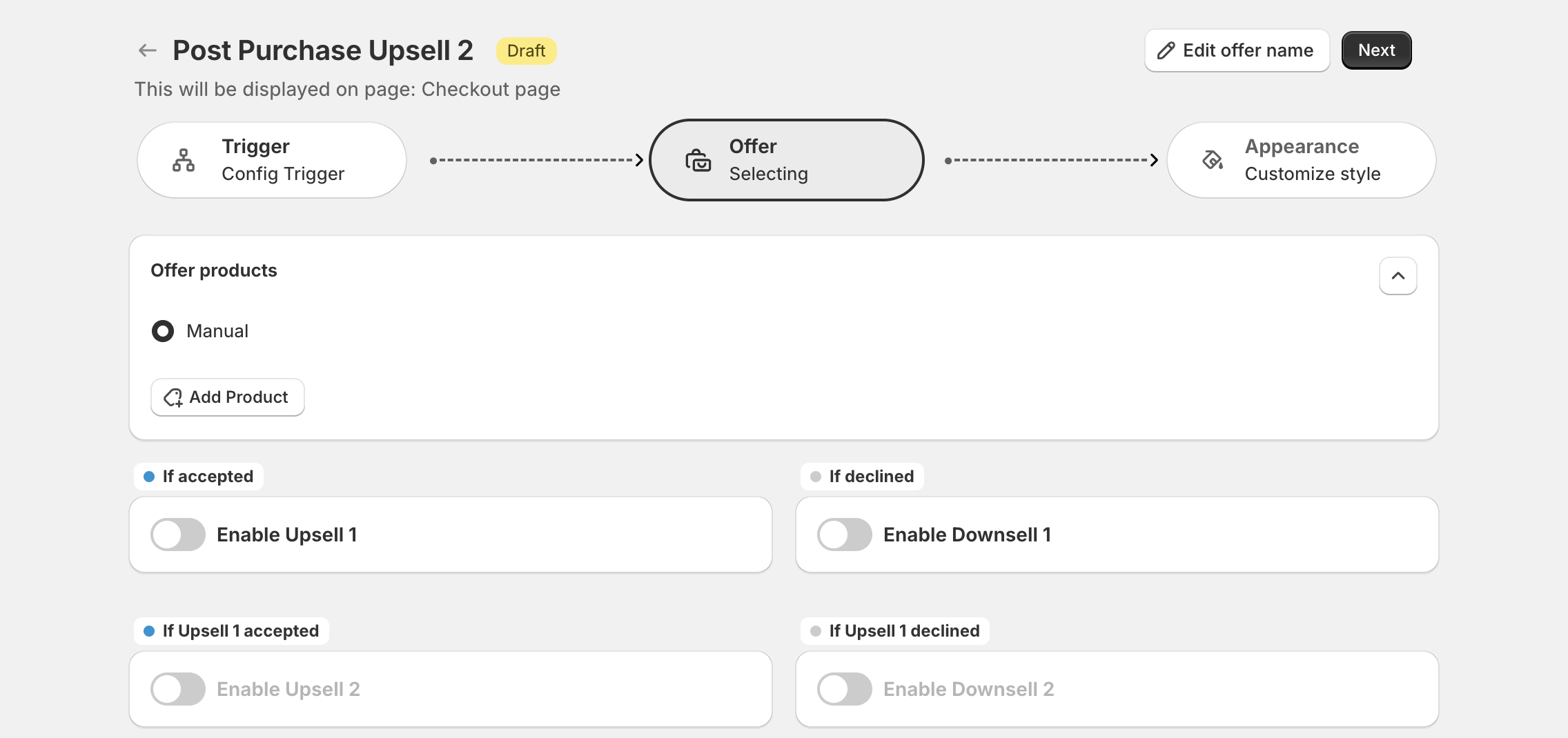
How the customer moves through the pages:
| Customer action | Next page |
|---|---|
| Accepts the first offer | Upsell 1, then Upsell 2 if they accept again |
| Declines the first offer | Downsell 1, then Downsell 2 if they decline again |
| Declines Upsell 1 | Downsell 2 |
| Accepts a downsell | The flow ends |
Customers decline with the Decline this offer button. When there is no next page, the customer goes to the order status page. See What customers see.
3. Save
Click Next to go to Appearance, then Publish.
What happens when the customer accepts
The product is added to the order the customer just paid for, with the discount and shipping you set. The customer pays with the same payment method, without entering it again.