
How do I show two bars in the same place?
Overview
When two or more active bars use the same built-in position on a page, for example Below buy button on a product page, only one of them shows. To show both, set both bars to Manual Position and add one XB: Free shipping block for each of them in the theme editor. You also choose their order.
Steps
1. Set both bars to Manual Position
Do this for each of the two bars:
- Open Free Shipping Bar Upsell, click the bar name, then click Placement.
- Under Page to display, select Manual Position.
- Click Save in the bar at the top of the page.
- Copy the ID with the copy icon. Keep both IDs at hand.
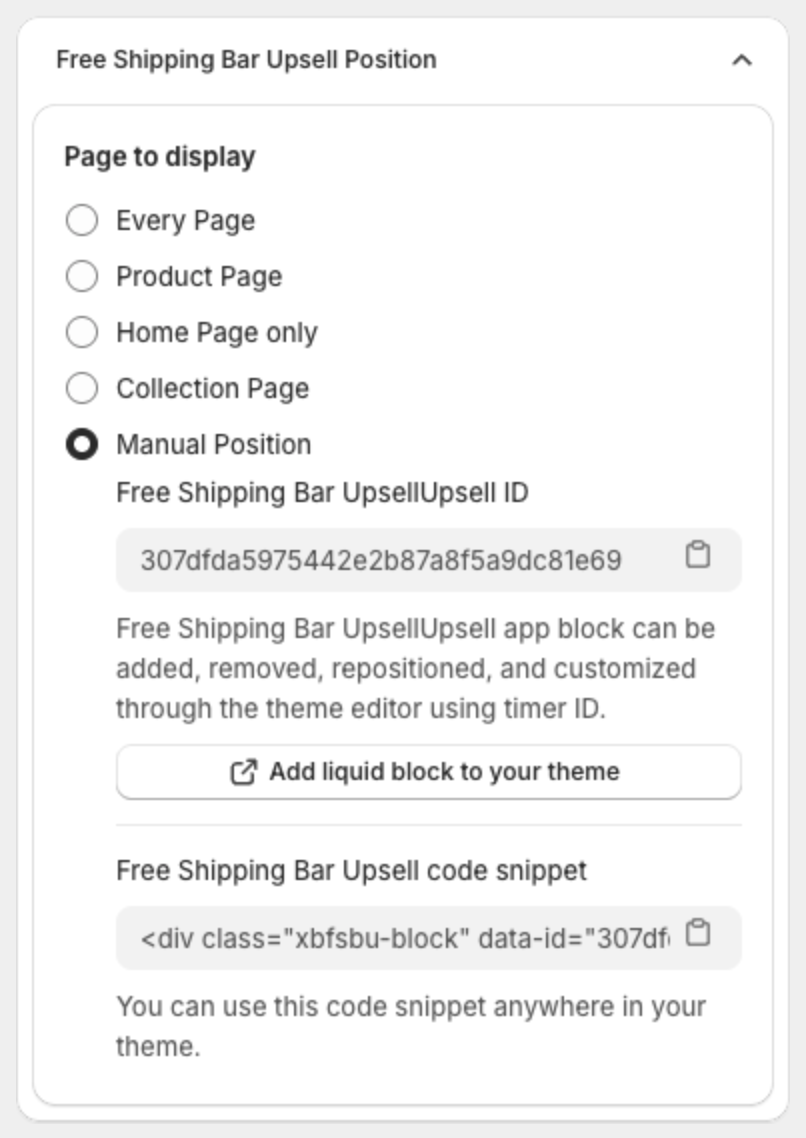
2. Add two XB: Free shipping blocks in the theme editor
- Go to Online Store > Themes and click Customize.
- Open the page where you want the bars, for example a product page.
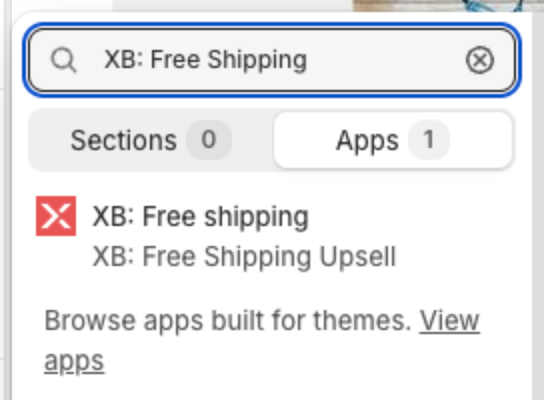
- In the section where you want the bars, for example the product information section, click Add block (or Add section to put the bars in their own section), open the Apps tab, then select XB: Free shipping.
- Add a second XB: Free shipping block the same way.
3. Connect each block to a bar
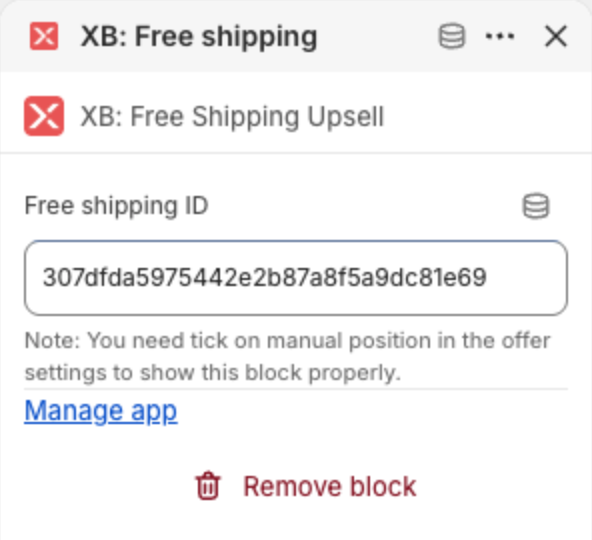
- Click the first block and paste the ID of the first bar into Free shipping ID.
- Click the second block and paste the ID of the second bar.
- Drag the blocks into the place and order you want. The bars show in the same order as the blocks.
- Click Save in the theme editor.
Both bars now show, one after the other. A block shows its bar only when the bar uses Manual Position and is Active.
Which bar shows in a built-in position
If you keep the bars in the same built-in position, the app shows only one. It picks the bar that targets the fewest products (Specific products, then Collections, then All products except, then the other targets, then Home Page only, then Every Page). Between bars at the same level, the higher Priority wins, then the newest bar. See How to manage your free shipping bars.