How do I make the free shipping bar shorter?
Overview
The height of the bar comes from the space inside it, the progress bar, the margins and the upsell products. You change all of them in the Design step.
Steps
- Open Free Shipping Bar Upsell, click the bar name, then click Design.
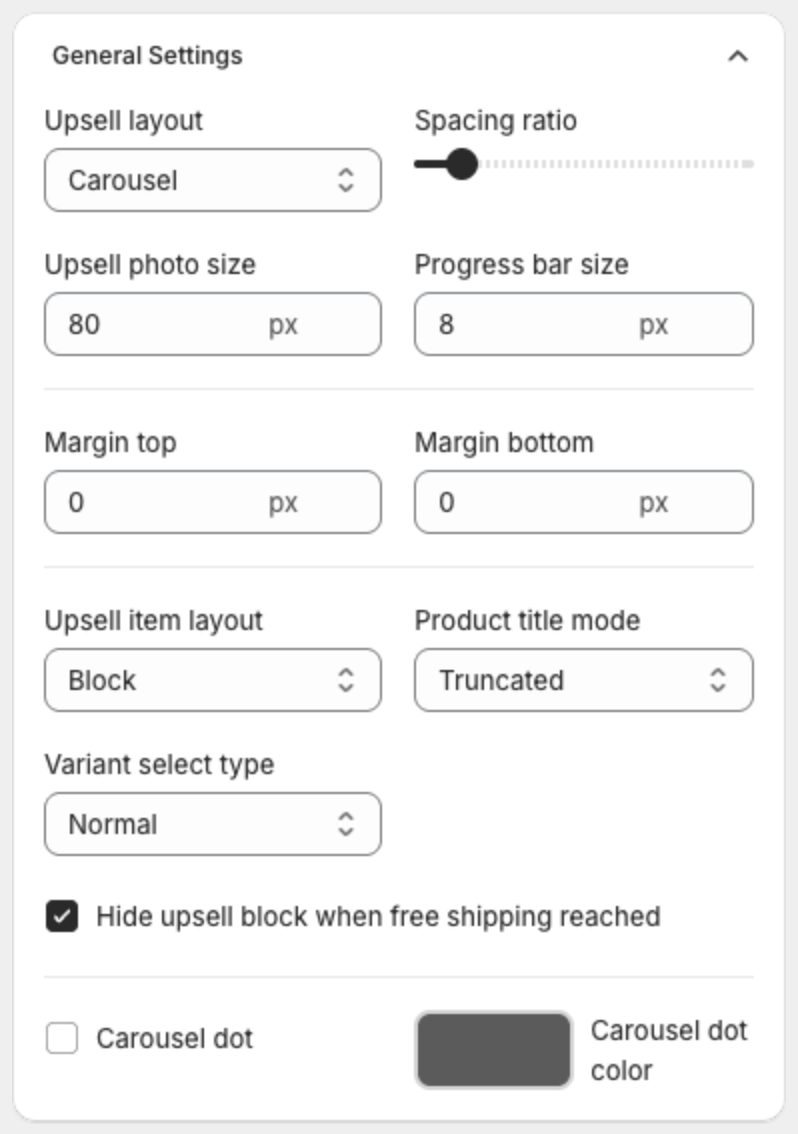
- Under General Settings, lower Spacing ratio. It scales the space around the message, the progress bar and the products.
- Lower Progress bar size, and set Margin top and Margin bottom to 0.
- If the bar shows products, lower Upsell photo size, or turn off upsell products in the Content step.
- Click Save in the bar at the top of the page.