
How to set Customer Buy X
Overview
The Trigger step sets product X: the product shoppers buy to get the offer. The offer shows on the product page of X.
Steps
- Open Offers, click the offer name, then click Trigger at the top of the editor.
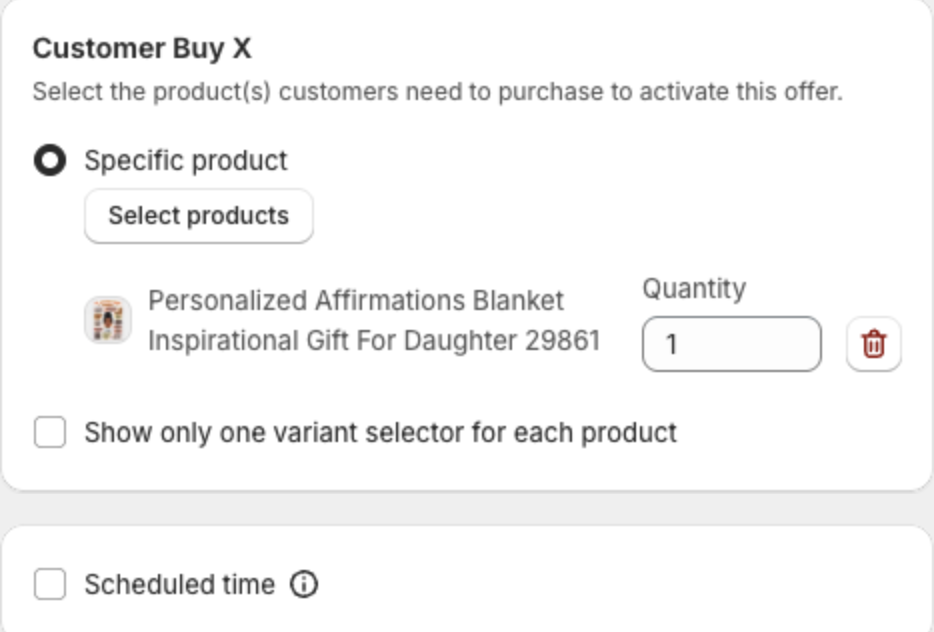
- Under Customer Buy X, click Select products. In the dialog, select the product and click Select.
- Set the Quantity shoppers need to buy.
- Optional: select Show only one variant selector for each product to show one variant dropdown per product.
- Optional: select Scheduled time to run the offer only between a start and an end date.
- Click Next or Save in the bar at the top of the page.
Select at least one product, otherwise the offer cannot be saved.