Why doesn't the offer work with my theme's cart drawer?
Overview
A shopper clicks the add to cart button of the offer. Products X and Y are added to the cart, but your theme's cart drawer does not open, or it opens with the old items until the shopper reloads the page.
Why it happens
The offer adds the products with Shopify's cart API, not with your theme's add to cart button. After that, the app must tell your theme's cart drawer to reload and open.
Every theme has its own code to update and open its cart drawer. XB: Free Gifts & Buy X Get Y calls this code for Shopify themes such as Dawn and for some other popular themes. Many themes keep this code private, so the app cannot call it. The products are in the cart, but the theme's cart drawer does not show them.
Fix: Use the XBoost cart drawer
XB: AI Cart Upsell Cart Drawer replaces your theme's cart drawer and works directly with XBoost offers. Each time a shopper adds the offer, the cart drawer reloads and opens with the new items.
- Install XB: AI Cart Upsell Cart Drawer and turn on its cart drawer. See Getting started with XB: AI Cart Upsell Cart Drawer.
- In XB: Free Gifts & Buy X Get Y, open the offer and go to the Offer step.
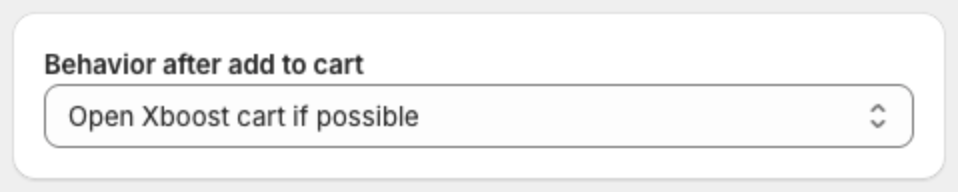
- Under Behavior after add to cart, select Open Xboost cart if possible.
- Click Save.