
How to choose where the delivery estimate shows
Overview
The Placement step controls where the estimate shows: pages, position, products, countries, devices and dates.
Steps
- Open Estimated Delivery, click the estimate name, then click Placement.
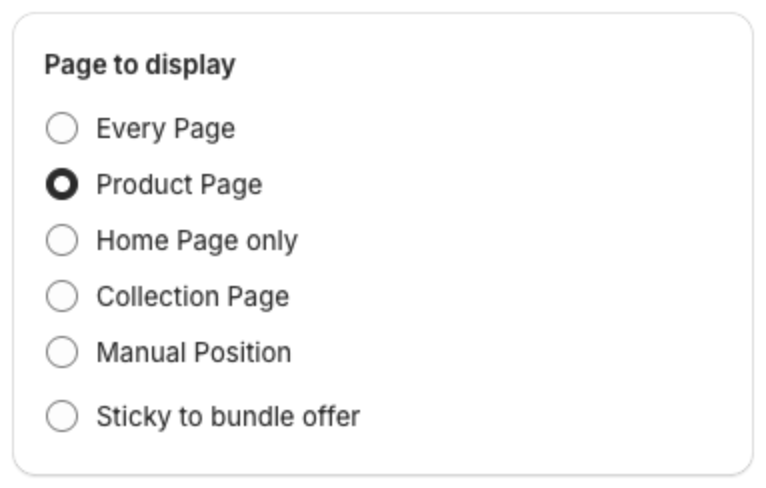
- Under Page to display, select Every Page, Product Page (default), Home Page only, Collection Page, Manual Position or Sticky to bundle offer.
- Under Show Estimated Delivery on:, select Below buy button (default), Above buy button, Top of page or Bottom of page.
- For Product Page, choose the products under Display bar for: Specific products, Collections, All products (default), All products except or Except specific collections. With Specific products, select at least one product, otherwise the estimate cannot be saved.
- Set Geolocation targeting Info, Device Targeting Info and Scheduled time if needed.
- Click Save in the bar at the top of the page.
Countries. With Specific countries, the estimate shows only when the shopper browses your store in one of those countries. The country is the one your store uses for the shopper through Shopify Markets, the same country shown in your store's country or currency selector. It is not detected from the shopper's IP address. Use it to show different shipping times to different markets: create one estimate per market with its own countries.
Bundle offers. If you use XB: Bundles Quantity Breaks, select Sticky to bundle offer and then pick this estimate by name in the bundle offer to show it above or below the bundle.