
General settings
Overview
General settings holds the app-wide settings: the language of the app and of your storefront, and the email addresses that receive updates from XBoost.
Steps
1. Open General settings
In the app menu, click General settings.
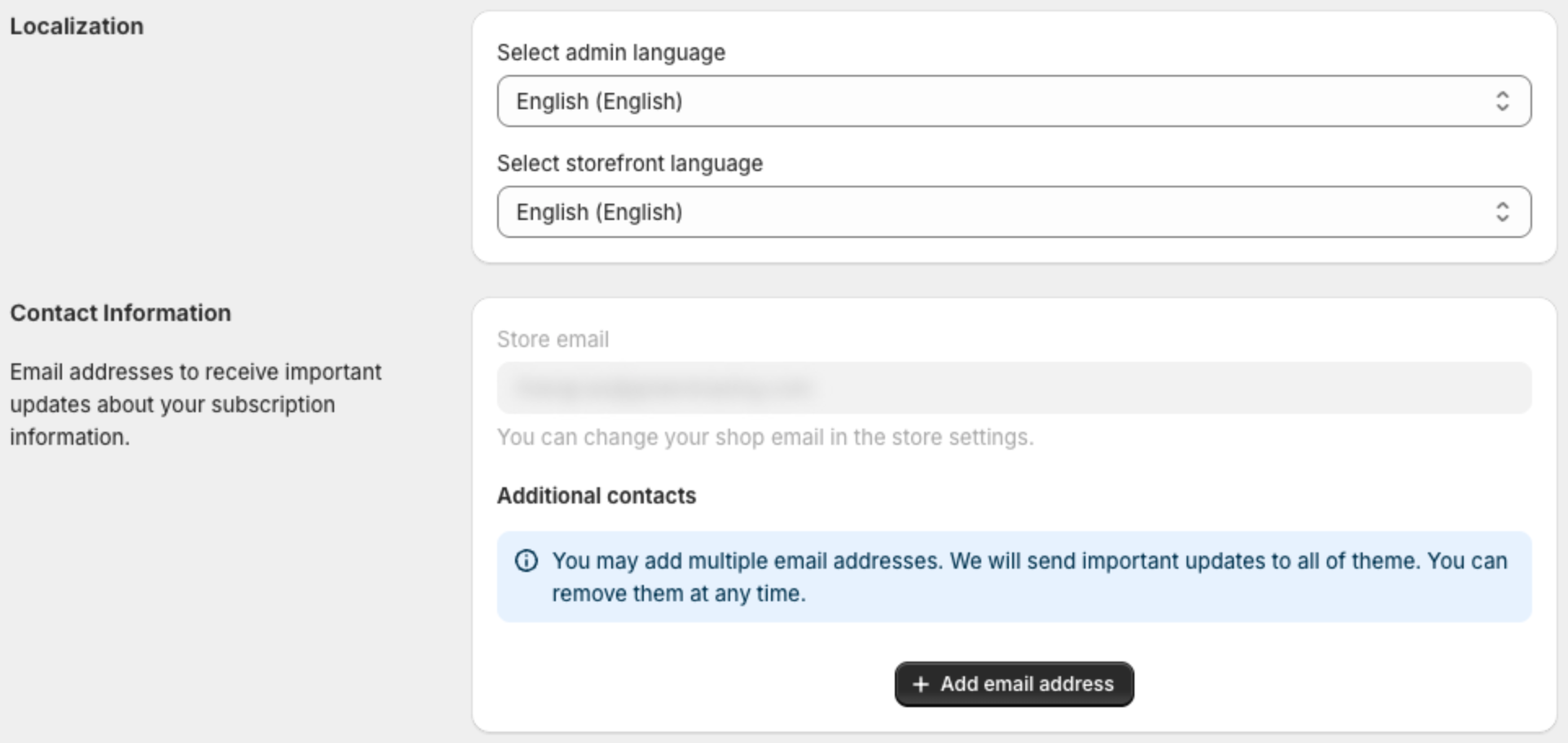
2. Set the languages
Under Localization:
- Select admin language — the language of the app screens in your Shopify admin.
- Select storefront language — your default storefront language. The editor preview opens in this language, and shoppers see its text when a timer has no translation for their language.
To translate a timer, open it, select a language in Storefront Language above the preview, change the texts and save. Texts you do not translate keep your default language.
3. Add contact emails
Under Contact Information:
- Store email shows the email of your Shopify store. To change it, go to your Shopify store settings.
- To send updates to more people, click Add email address and type the address. XBoost sends important updates about your subscription to all the addresses.
4. Save
Click Save to keep your changes.