How to make the cart drawer smaller
Overview
If the cart drawer of XB: AI Cart Upsell Cart Drawer covers too much of the page, or the items take too much space, change these settings in Cart Drawer.
Steps
- Click Cart Drawer in the app menu.
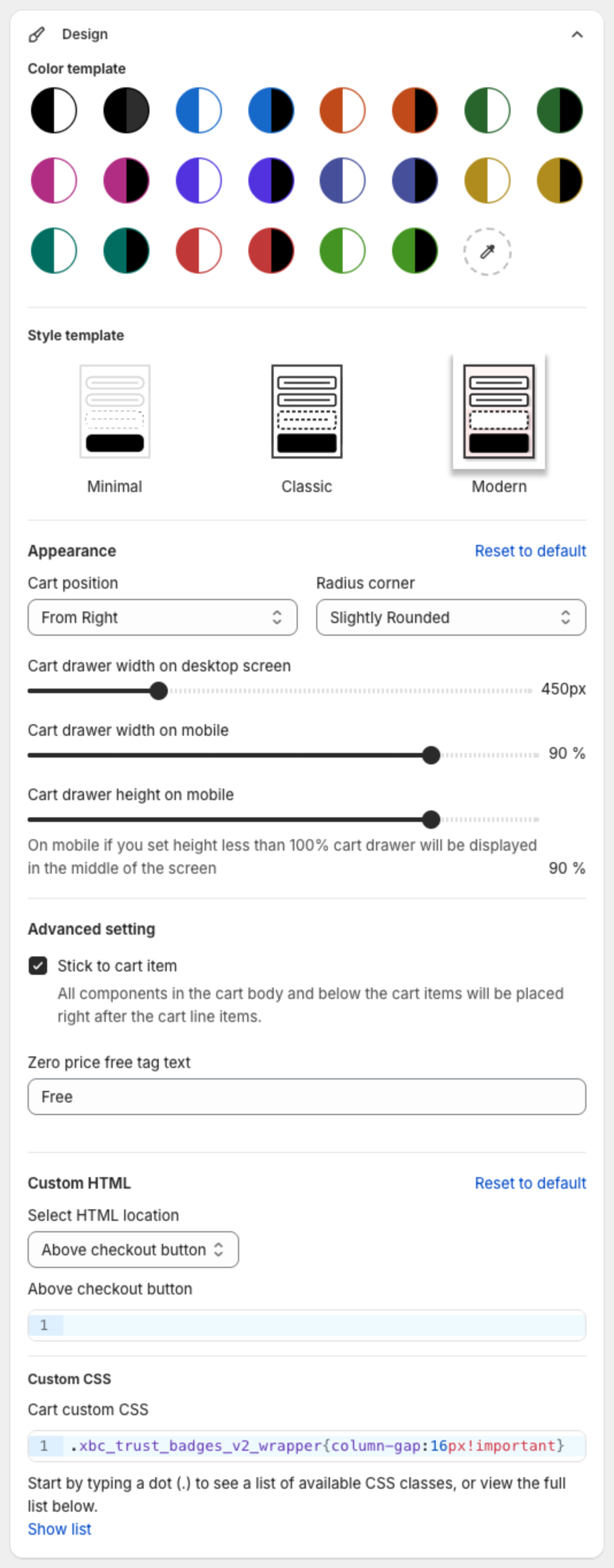
- Click Design. Under Appearance, lower Cart drawer width on desktop screen (px) and Cart drawer width on mobile (%). On mobile, a Cart drawer height on mobile below 100% shows the drawer in the middle of the screen.
- Click Body, then Cart Line Item. Lower Photo size and Line item row gap, and lower the sizes under Text size.
- Click Footer and turn off the blocks you do not need, for example Payment icons or Trust badges.
- Click Save in the bar at the top of the page.
The preview on the right updates as you change the settings.