How do I make the announcement bar shorter?
Overview
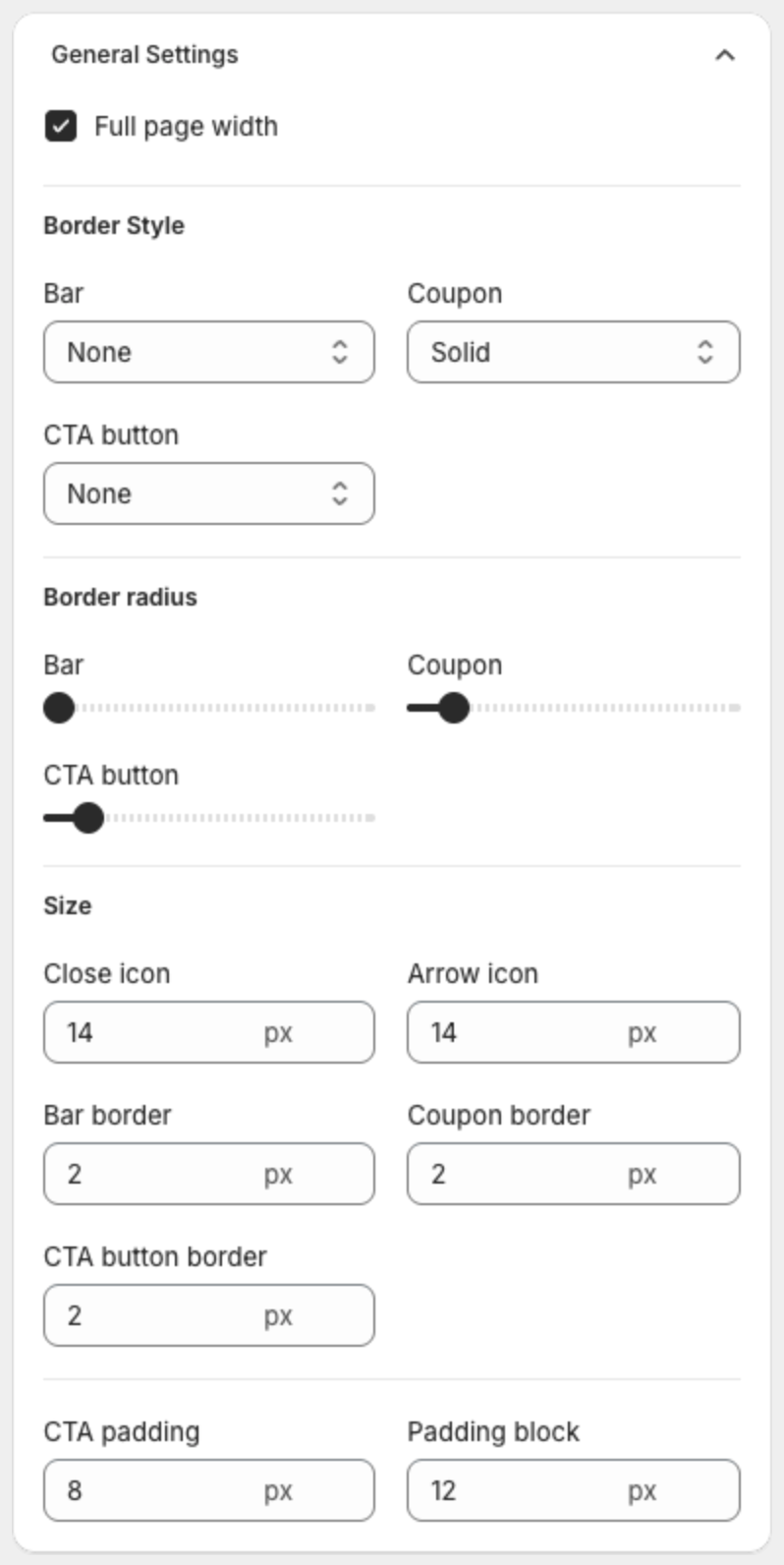
The bar height comes mostly from the space above and below the text. You change it with Padding block in the Design step.
Steps
- Open Announcement bars and click the bar name.
- Click Design at the top of the editor.
- Under General Settings > Size, lower Padding block. The default is 12 px. Try 4 or 6 px.
- If the bar is still too tall, lower the Title and Subtitle sizes under Text Size, and lower CTA padding if the bar has a button.
- Check the Desktop Preview and Mobile Preview, then click Save in the bar at the top of the page.