
Xboost Star Rating Widget
Enhance your product pages by displaying the average rating score and the number of reviews collected for each product using our Rating Widget. This widget builds trust through social proof, encouraging customers to make purchases with confidence.
You can add the Rating Widget to any page of your store and customize it to fit your brand’s design.
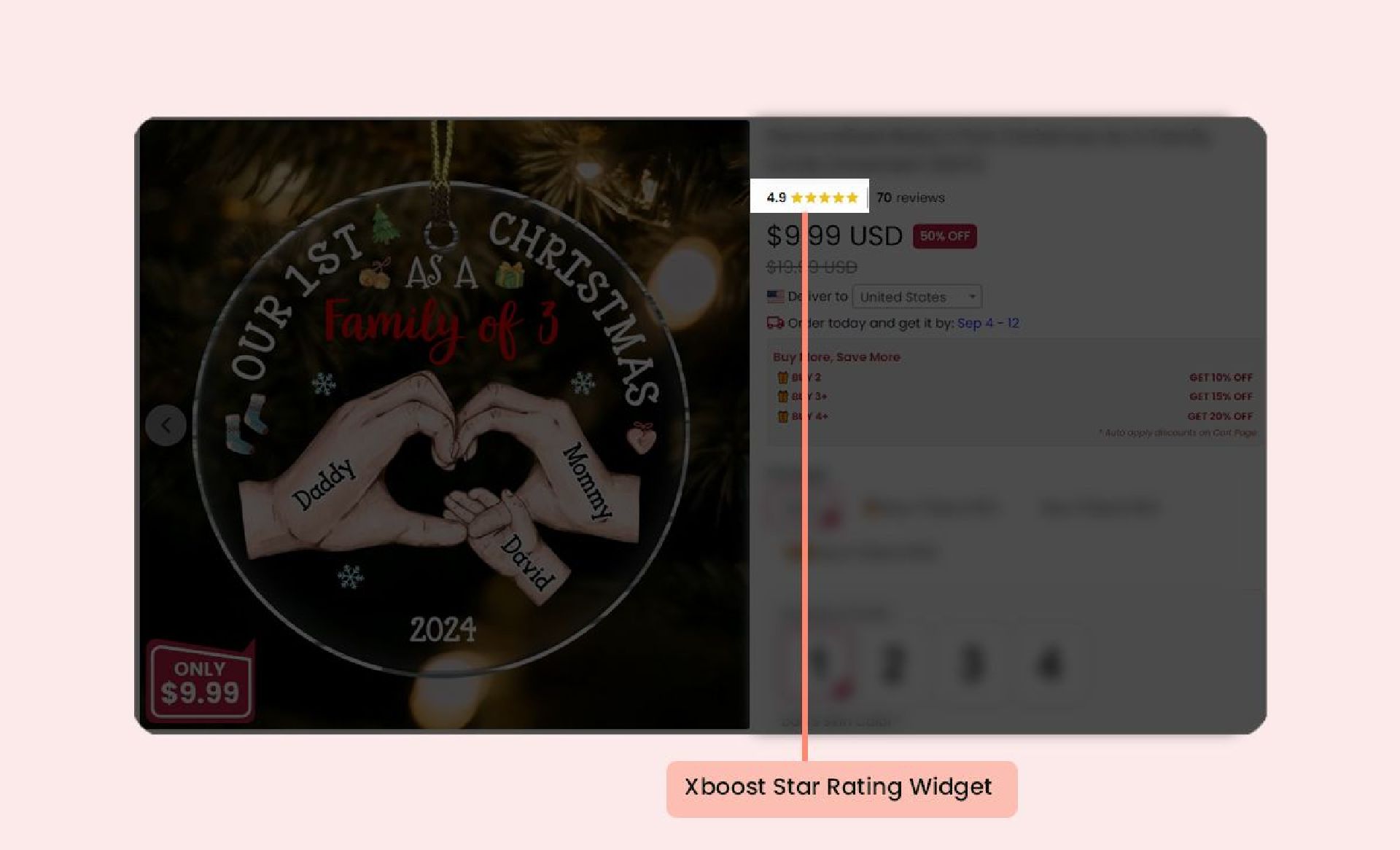
Adding the Star Rating Widget to Your Product Pages Using the Shopify Theme Editor
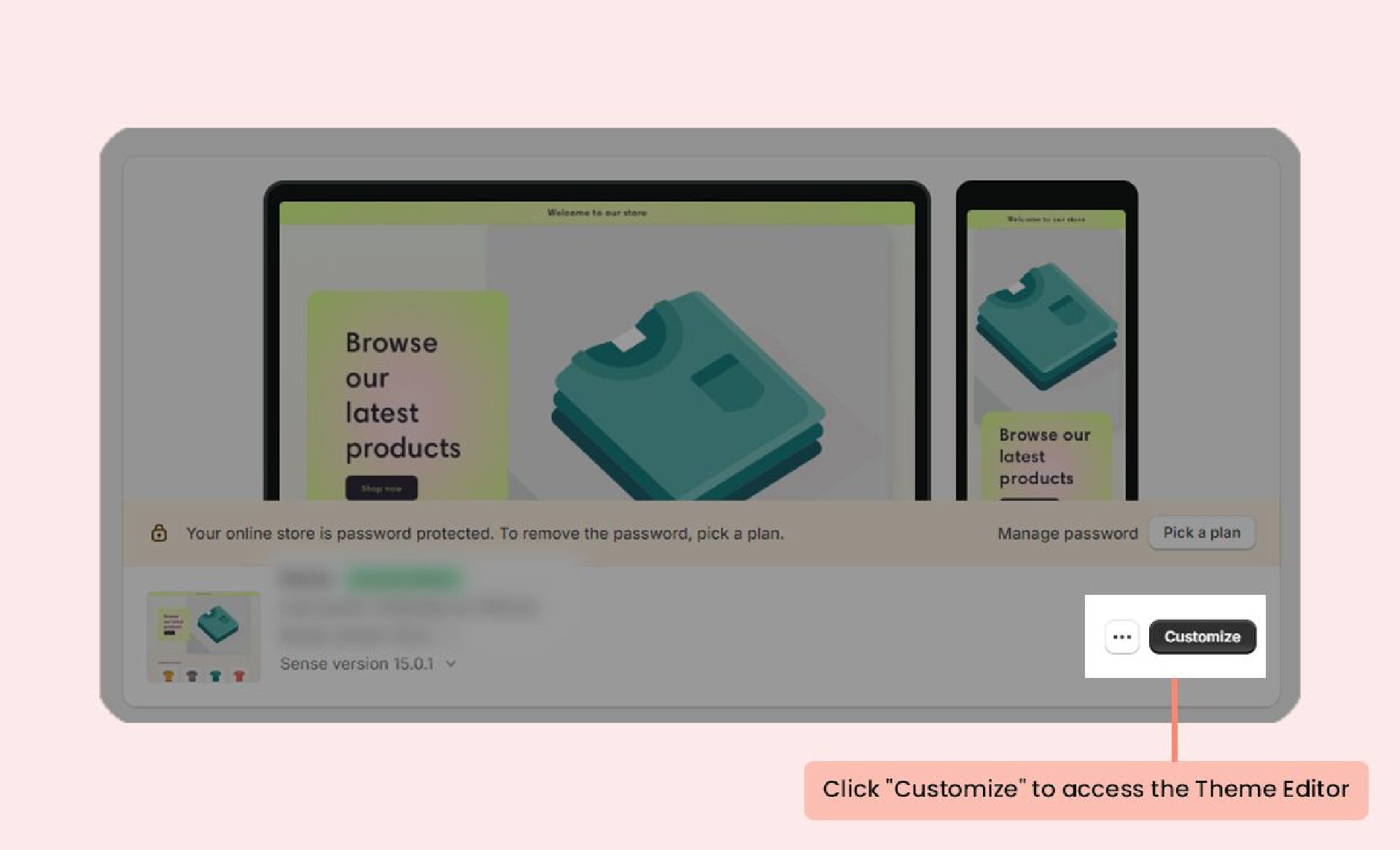
- In your Shopify admin, navigate to the Themes section and click on Customize to open the Theme Editor.
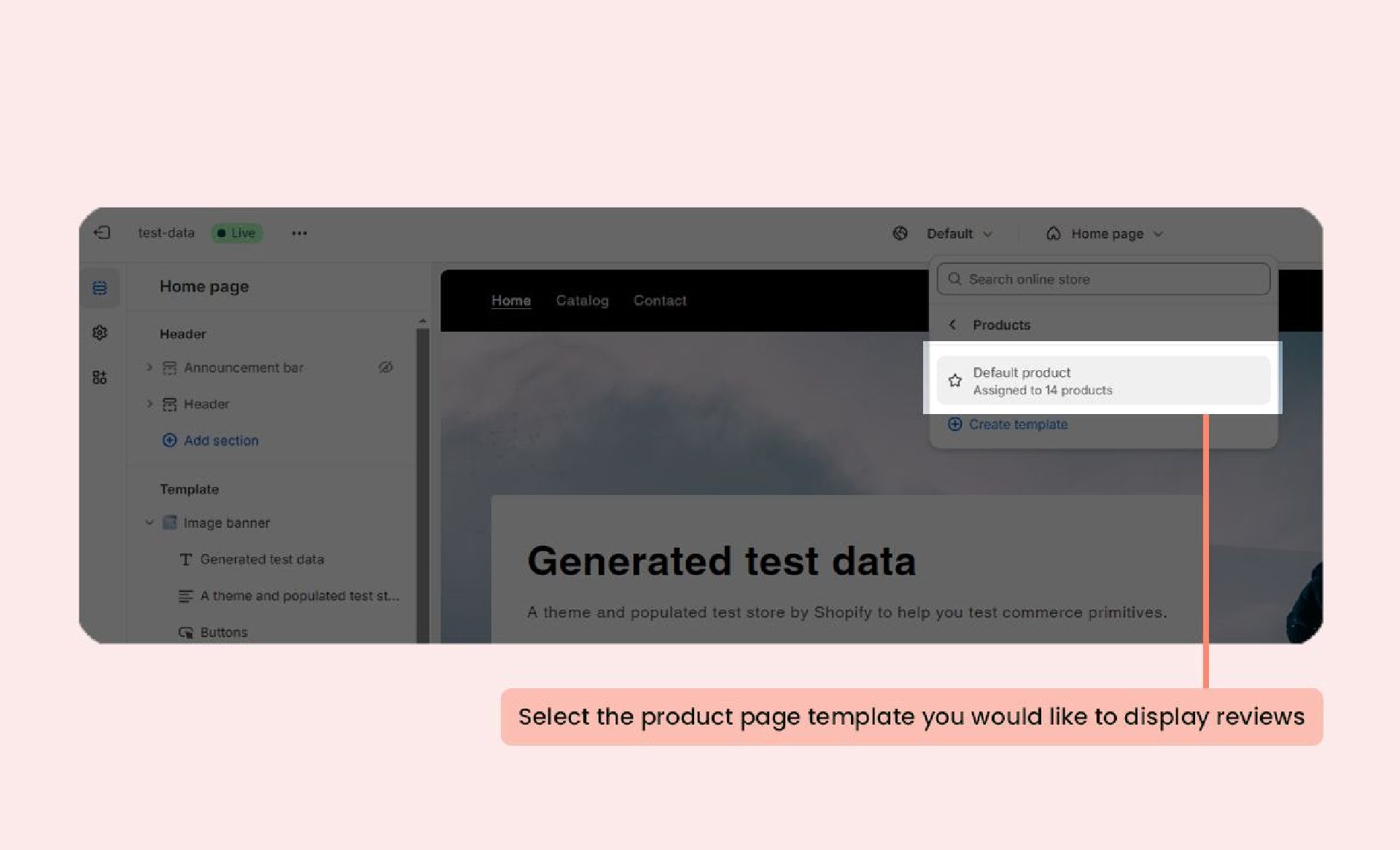
- Choose the product page template (or any other page) you want to edit.
- On the left-side menu, click Add section and select Star Rating.
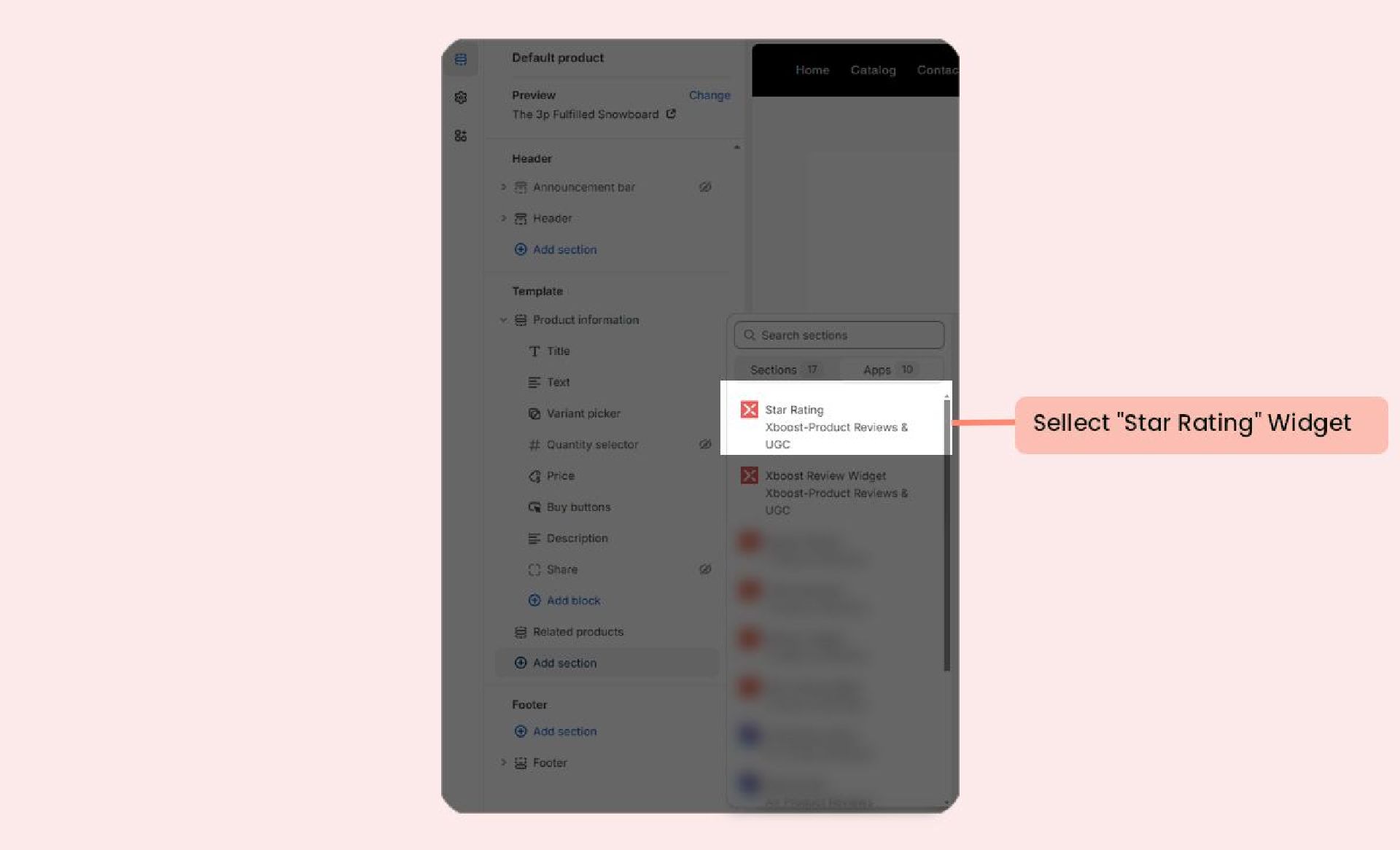
- Drag and drop the widget block to your preferred location (we recommend placing it below the product title).
- Click Save to apply your changes.
