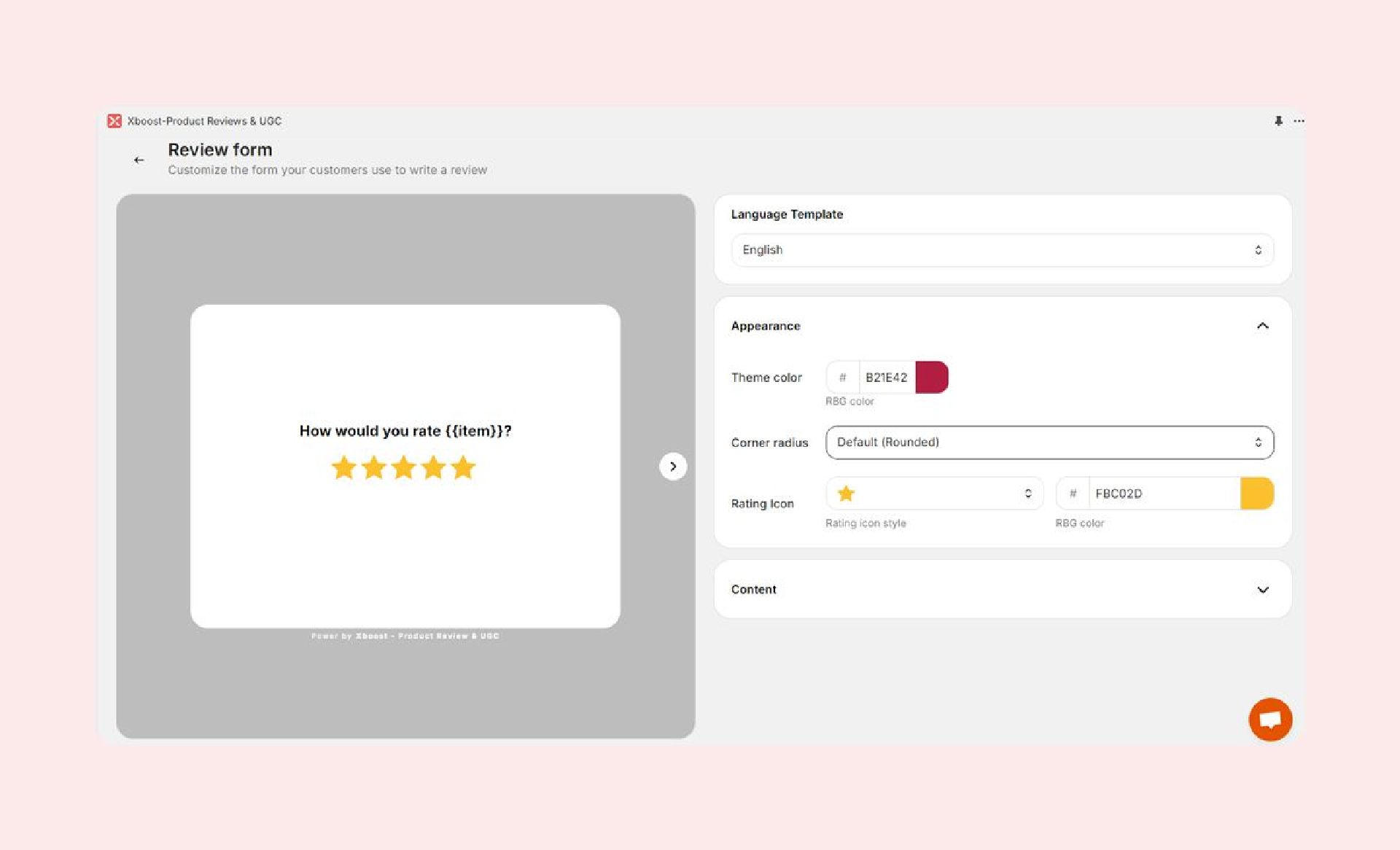
Product Review Form
Our customizable Product Review form ensures a smooth and user-friendly review submission experience for your customers.
Review Submission Process
Customers can easily submit reviews using our Product Review form. The form is accessible when they click the** Write a review** button in the review request email or directly on your store’s product pages.
During the submission process, customers can:
- Rate your products
- Upload up to 5 photos and 3 videos
- Share their feedback with a written review
How to customize Your Review Form
To tailor the appearance of the Product Review form for your customers, follow these steps:
- Navigate to the Collect Reviews section in the Xboost Reviews Settings.
- Go to Review Form.
- Adjust the following options:
- Language: Change the language used throughout the form.
- Theme Color: Change the color scheme used throughout the form.
- Corner Radius: Modify the roundness of the form’s corners.
- Rating Icon: Select the icon and its color for rating.
- Content: Edit the text displayed on the form to suit your needs.