
Activating the Xboost Reviews Core Script on Your Theme
Welcome to Xboost Reviews 🥳
Activating the Xboost Reviews on your Shopify theme is essential to start collecting and displaying customer reviews and user-generated content in your store. Follow this step-by-step guide to ensure successful integration.
When you install Xboost Reviews, you’ll be guided through an onboarding process to help you add the Xboost Reviews widget to your store pages, enabling you to start immediately.
If you decide to skip the onboarding process or wish to add more widgets later, you can easily follow our detailed installation guides to customize your store further.
Activate the Xboost Reviews Core Script manually:
- In your Shopify admin, navigate to Online Store > Themes.
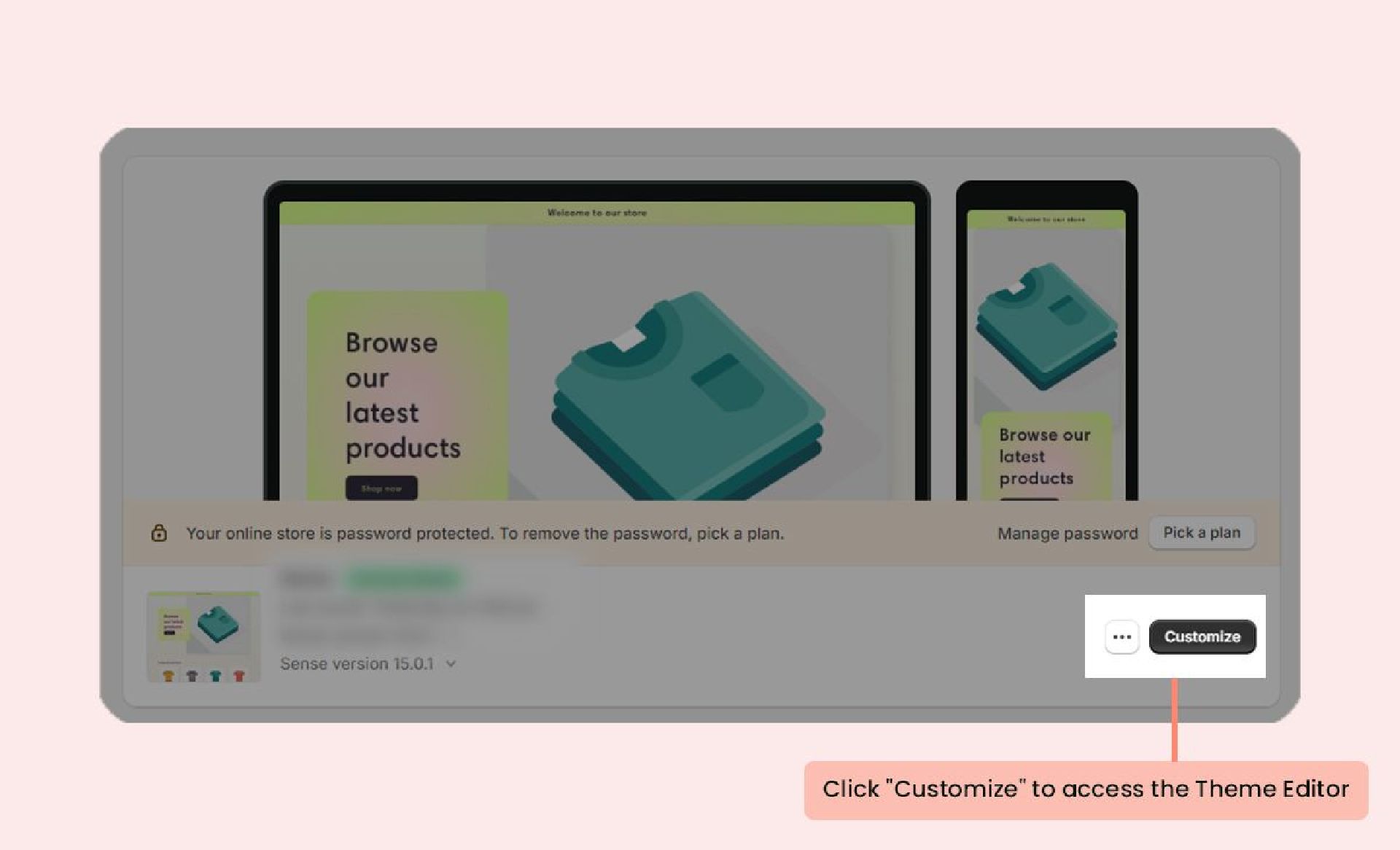
- Select the theme you want to modify and click Customize to access the Theme Editor:
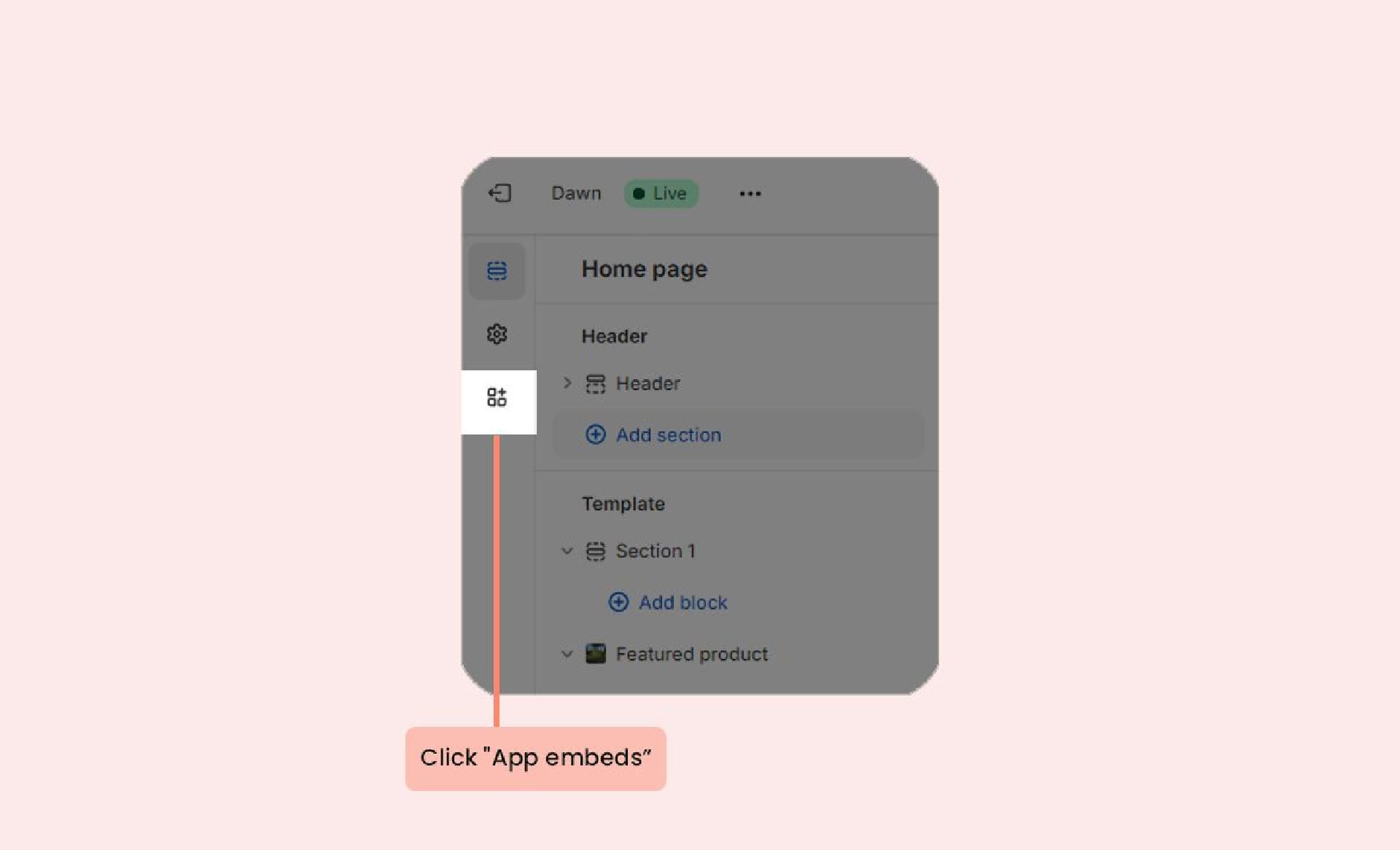
- Go to App embeds and enable the Xboost Reviews Core Script.
- Click Save.
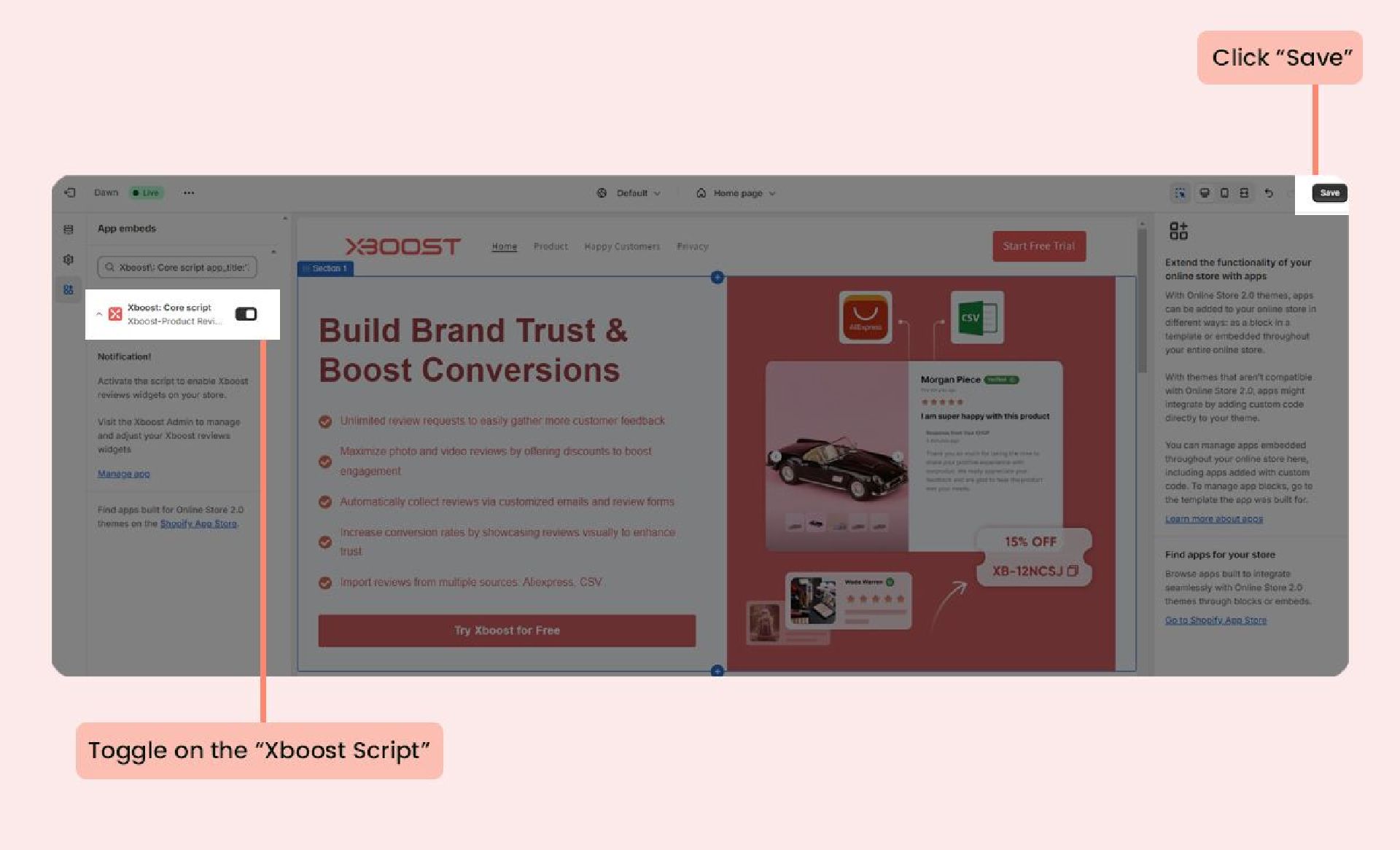
After activation, all Xboost Review widgets can be displayed on any page of your store.
